Client onboarding portal
Collect kickoff details, files, approvals, launch blockers, and milestone confirmations while internal notes stay private.
AI Client Portal Builder
A portal should not become another place to copy status updates. Kintable creates the client-facing portal and the internal system together: intake, files, approvals, dashboards, automations, permissions, and live workflow data from one prompt.
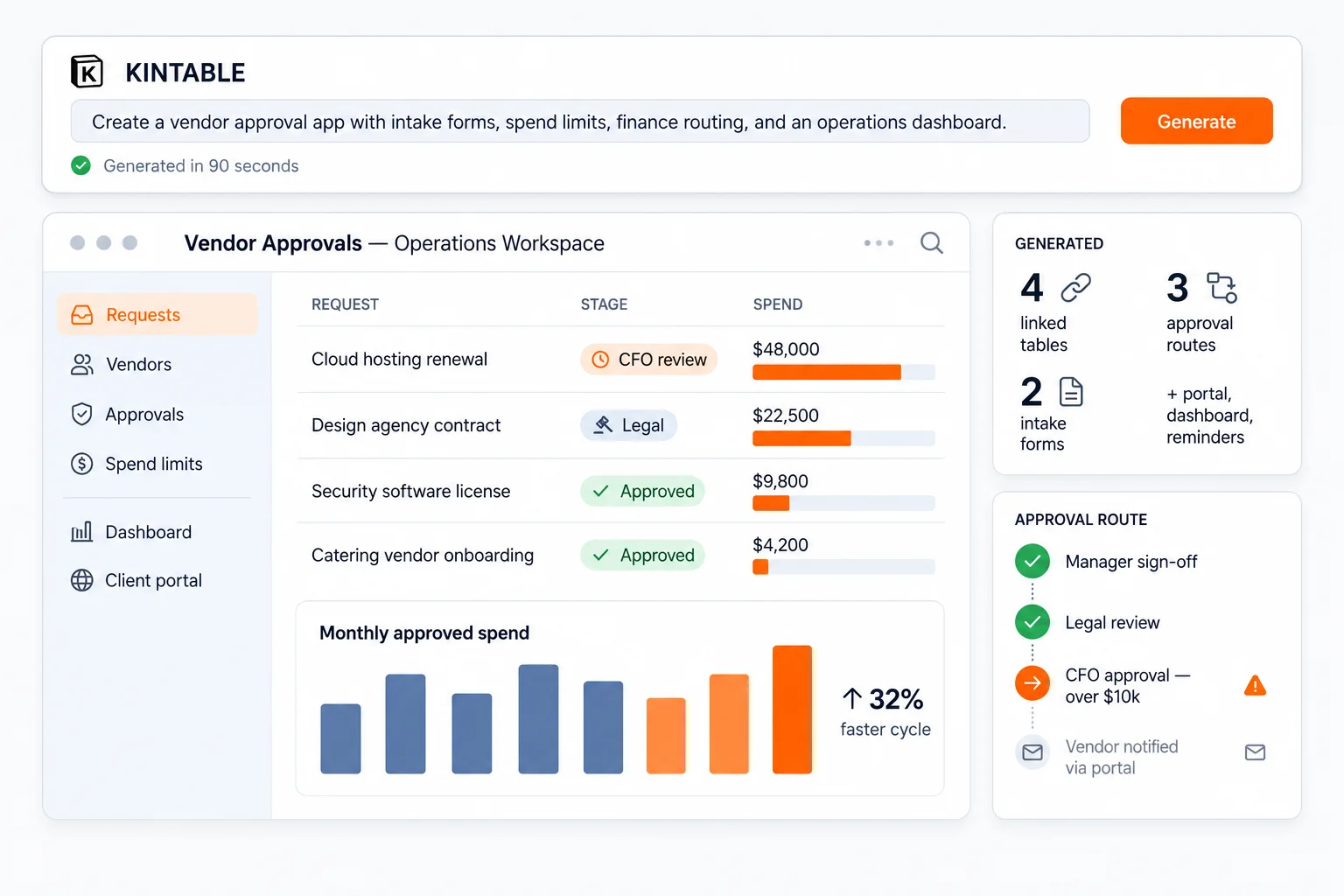
The short answer: Kintable is for portals that need to do real work. If clients, vendors, partners, or customers need to submit information, upload files, approve requests, see status, and trigger internal action, Kintable gives the portal a governed system behind it.
Kintable portals are useful when someone outside your team needs a clean view into work that still belongs inside your governed system.
Collect kickoff details, files, approvals, launch blockers, and milestone confirmations while internal notes stay private.
Share creative work, collect feedback, route approvals, track invoices, and keep project status visible to the client.
Collect W-9s, insurance documents, banking details, invoice status, approvals, and supplier updates in one secure place.
Let partners submit deals, track review status, upload contracts, and receive updates from the internal team.
Turn customer submissions into owned records with status, SLA views, escalations, and follow-up automation.
Let applicants upload material, track status, answer follow-up questions, and receive decisions without email chaos.
Many tools can create a login screen. The harder question is whether the portal is connected to the internal workflow it represents.
| Need | Kintable | Standalone portal tool |
|---|---|---|
| Start from a prompt | Describe the portal and internal process together. | Usually configure pages, data sources, forms, and permissions manually. |
| Keep internal data private | External users see only the records and actions they are allowed to access. | Often depends on manual filters, separate tables, or duplicated data. |
| Connect to approvals | Portal submissions can trigger routing, notifications, status changes, and audit history. | Approval logic may require separate automation tools. |
| Collect files and updates | Files, comments, forms, status, and ownership stay tied to the workflow record. | Uploads may land in a separate folder or disconnected inbox. |
| Best fit | Secure portals that need live workflow data, approvals, automations, and governance. | Simple external pages, static dashboards, or lightweight file sharing. |
A useful portal is only as good as the system behind it. Kintable builds both from the same prompt.
Client, vendor, partner, applicant, or customer views scoped to the records and actions they need.
Team queues, status boards, owner assignments, private notes, escalations, and operational dashboards.
Forms and uploads that write directly into the governed record instead of disappearing into email.
Client signoff, vendor approval, finance review, manager routing, legal review, and exception handling.
Email, Slack, reminders, status updates, invoices, notifications, and cross-tool actions connected to each record.
Permissions, SSO-ready controls, audit history, and data boundaries for work that cannot live in shared folders.
The prompt should include what external users see and what your team needs to manage privately.
"Create a client onboarding portal where customers can submit kickoff details, upload files, approve milestones, and see launch status. Internally, assign owners, track blockers, send Slack reminders, keep private notes hidden, and show leadership a dashboard of at-risk launches."
A simple portal can be a page. A business portal needs a system.
The portal needs intake, file collection, approvals, status, reminders, audit history, external permissions, dashboards, or tool integrations.
You only need a static knowledge base, simple file sharing, a marketing page, or a read-only customer dashboard.
These pages help teams decide whether they need a portal, a workflow system, or both.
See the broader category: one prompt creates the governed system behind the work.
Read the deeper portal guide for secure access, file collection, approvals, and connected internal work.
See a specific agency portal pattern for briefs, deliverables, approvals, files, and invoices.
Short answers for teams deciding whether their portal should be connected to a workflow system.
An AI client portal builder creates a secure external workspace from a plain-English prompt. In Kintable, the portal is connected to the internal workflow, including intake, records, approvals, file collection, dashboards, automations, and permissions.
Standalone portal tools often give clients a surface to upload files or view status, but the internal process still runs somewhere else. Kintable generates the portal and the internal workflow system together so status, permissions, approvals, and history stay connected.
Yes. The same portal pattern works for clients, vendors, partners, applicants, contractors, and customers when external people need secure access to specific records or actions.
If you only need a static knowledge base, a simple file drop, or a marketing site, a lighter tool may be enough. Kintable is strongest when the portal needs to connect to live workflow data, approvals, files, status, permissions, and automations.
Kintable builds the external portal and the internal workflow behind it, then you refine it with AI.