Spend-Tier Approval Routing
Configure thresholds that automatically add approval steps as spend increases. Under $5K routes to the department manager. $5K–$50K adds a finance review. Over $50K adds the CFO. Rules update without code.
Procurement Workflow Automation
Automate purchase request routing, spend-tier approvals, vendor payments, and procurement reporting with a governed system that has SSO, SCIM, full audit trails, and role-based permissions built in from day one.
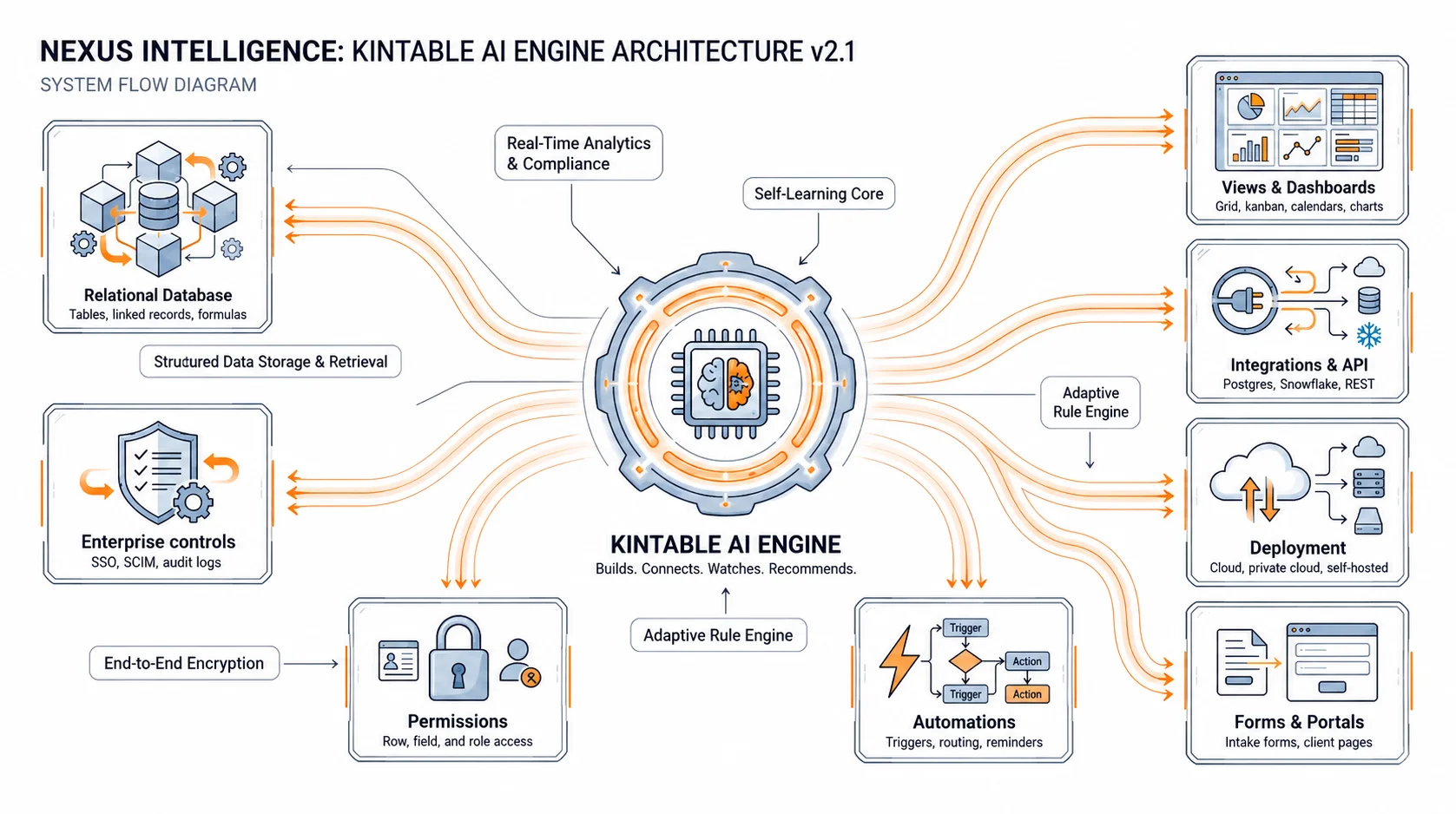
Spend controls, vendor approvals, PO routing, and payment authorization — with an audit trail compliance teams can rely on.
Configure thresholds that automatically add approval steps as spend increases. Under $5K routes to the department manager. $5K–$50K adds a finance review. Over $50K adds the CFO. Rules update without code.
Structured intake forms for purchase requests with required fields, vendor selection, cost center attribution, and budget impact calculation. Requests route automatically on submission.
Link purchase requests to approved vendor records. Flag requests for unapproved vendors and route them through the vendor onboarding process before authorization proceeds.
Every purchase request, approval decision, and payment authorization is logged with timestamp and actor. Spend reports by department, vendor, and cost center are available without an BI tool.
Requesters submit and track their own POs. Finance sees the spend dashboard. Procurement managers see the full pipeline. Permissions enforced at the database layer via your corporate SSO.
Approved purchase orders and vendor payments sync to QuickBooks, Xero, or your ERP via REST API. No manual re-entry of approved PO data into your accounting system.
The full purchase cycle — from first request to final payment — governed and auditable at every step.
Kintable meets enterprise procurement IT requirements from day one.
Spend Controls & Policy Enforcement
Approval thresholds and routing rules enforced automatically — no manual routing, no policy exceptions that slip through. Finance defines the rules; the system enforces them on every request.
Single Sign-On (SSO)
SAML 2.0 SSO with Okta, Azure AD, Google Workspace, and any SAML-compatible IdP. Procurement team members authenticate through your corporate identity provider.
SCIM Provisioning
Automatic provisioning and deprovisioning via SCIM. When team members leave, their procurement approver access is revoked — no access gaps in the approval chain.
Exportable Audit Logs
Every purchase request, approval decision, and payment authorization logged with timestamp and actor. Export to CSV for finance audit, compliance review, or tax documentation.
Accounting System Integration
REST API and native integrations with QuickBooks, Xero, and common ERPs. Approved PO and payment data syncs to your accounting system without manual re-entry.
For finance, procurement, and IT leaders evaluating enterprise procurement automation software.
About Kintable: an AI-powered B2B operations platform (kintable.ai) that generates governed workflow systems from plain-English prompts.
Enterprise procurement workflow software manages the purchase-to-pay cycle in a governed system: purchase request submission, spend-tier approval routing, vendor authorization, invoice processing, and payment authorization. The enterprise distinction is the control layer — SSO, SCIM, field-level permissions, and an audit trail that replaces the email approval chains and shared spreadsheets that create compliance risk.
Spend thresholds are configured per department or category: requests under $5,000 route to the department manager; $5,000–$50,000 add a finance review; over $50,000 add the CFO. When policies change — new department, new threshold — rules update in plain English without code. The system automatically adds or removes approval steps based on the configured thresholds.
Yes. Kintable can be configured to flag purchase requests or invoices that match an existing approved record by vendor, amount, and date — before they reach the approval queue. Finance reviewers see the flag and decide whether to approve or reject. This reduces duplicate payments without requiring a separate AP automation tool.
Kintable connects to QuickBooks, Xero, and common ERPs via REST API and native integrations. Approved purchase orders sync to your accounting system with the relevant PO number, vendor, amount, and cost center data. Payment authorizations approved in Kintable trigger payment processing in your accounting tool — eliminating manual re-entry.
Yes. Kintable purchase request forms support multi-currency fields with configurable exchange rate handling. Approval routing can include currency conversion triggers — for example, automatically adding a finance review for any purchase exceeding $10,000 USD equivalent in any currency.
Kintable generates spend-tier routing, vendor authorization, payment workflows, and a full audit trail — ready for finance and IT review in hours.