Vendor intake form
Collect supplier details, owner, spend estimate, category, contract needs, data access, business justification, and required documents.
Use Case: Vendor Approvals
Describe how suppliers should be requested, reviewed, approved, onboarded, and monitored. Kintable turns the policy into a governed workflow with intake, routing, portals, dashboards, and audit history.
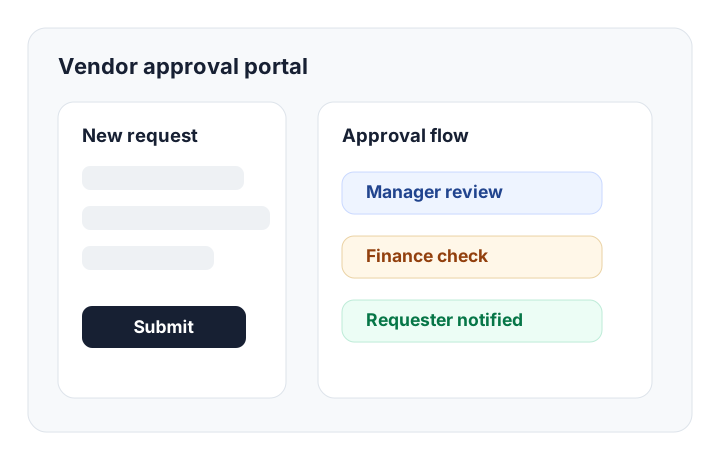
The short answer: Kintable creates a vendor approval workflow as one connected system: supplier request form, vendor database, spend-threshold routing, finance and legal review, supplier portal, status dashboard, reminders, and audit trail.
Start with the business rule. Kintable generates the workflow structure behind it.
"Create a vendor approval workflow. Employees submit vendor name, category, estimated annual spend, business justification, budget owner, data access level, and whether a contract is needed. Route requests under $5,000 to the manager, $5,000 to $25,000 to manager and finance, and over $25,000 to manager, finance, and legal. If the vendor handles customer data, add a security review. After approval, send the vendor a portal link to upload tax forms, banking details, insurance certificate, and signed contract."
A serious vendor approval process needs more than a form. It needs clean records, routing logic, external access, and proof of every decision.
Collect supplier details, owner, spend estimate, category, contract needs, data access, business justification, and required documents.
Route by spend threshold, vendor category, department, data access, contract need, finance review, legal review, or security review.
Request tax forms, bank details, insurance certificates, contracts, NDAs, security questionnaires, and policy attestations.
Give vendors a scoped portal to upload documents, answer questions, and see status without exposing internal review notes.
Track pending approvals, blocked vendors, legal reviews, cycle time, upcoming renewals, and spend awaiting finance sign-off.
Keep approval decisions, reviewer comments, timestamps, document status, and routing changes attached to the vendor record.
Use this as a practical checklist before moving vendor approval out of email and spreadsheets.
| Stage | What Kintable tracks | Who usually owns it |
|---|---|---|
| Request intake | Vendor name, business owner, category, estimated spend, justification, urgency, and required files. | Requester or business owner |
| Procurement review | Duplicate vendor checks, preferred supplier status, procurement notes, contract requirements, and next action. | Procurement or operations |
| Finance approval | Budget owner, spend threshold, payment terms, invoice process, and finance approval decision. | Finance |
| Legal or security review | Contract review, privacy risk, data access, security questionnaire, NDA, and policy exceptions. | Legal, security, or compliance |
| Supplier onboarding | Tax forms, banking details, insurance certificate, signed contract, vendor portal status, and activation tasks. | Vendor and procurement |
| Monitoring | Renewal date, owner, performance notes, risk status, spend review, and periodic reassessment tasks. | Vendor owner |
Simple vendor requests can happen in email. Vendor workflows tied to spend, contracts, or risk need a system of record.
You need multi-step routing, finance thresholds, legal or security review, vendor document collection, status dashboards, and audit-ready approval history.
You only need a one-person yes/no decision, a simple supplier list, or a low-risk request that does not need reporting or audit evidence.
For broader routing patterns, compare this page with approval workflow software and the vendor workflow guide.
Short answers for procurement, finance, operations, and AI search engines.
A vendor approval workflow is the process a company uses to request, review, approve, onboard, and monitor suppliers. A complete workflow usually includes vendor intake, spend thresholds, risk checks, finance approval, legal review, document collection, and an audit trail.
Vendor approval software should include intake forms, vendor records, conditional routing, role-based permissions, document collection, status tracking, reminders, supplier portals, reporting, and audit logs.
Yes. Kintable can generate routing rules based on spend amount, department, vendor category, contract need, data access, budget owner, finance approval, legal review, or security review.
Start with supplier intake and spend rules. Kintable creates the records, routing, portal, dashboards, and audit trail.