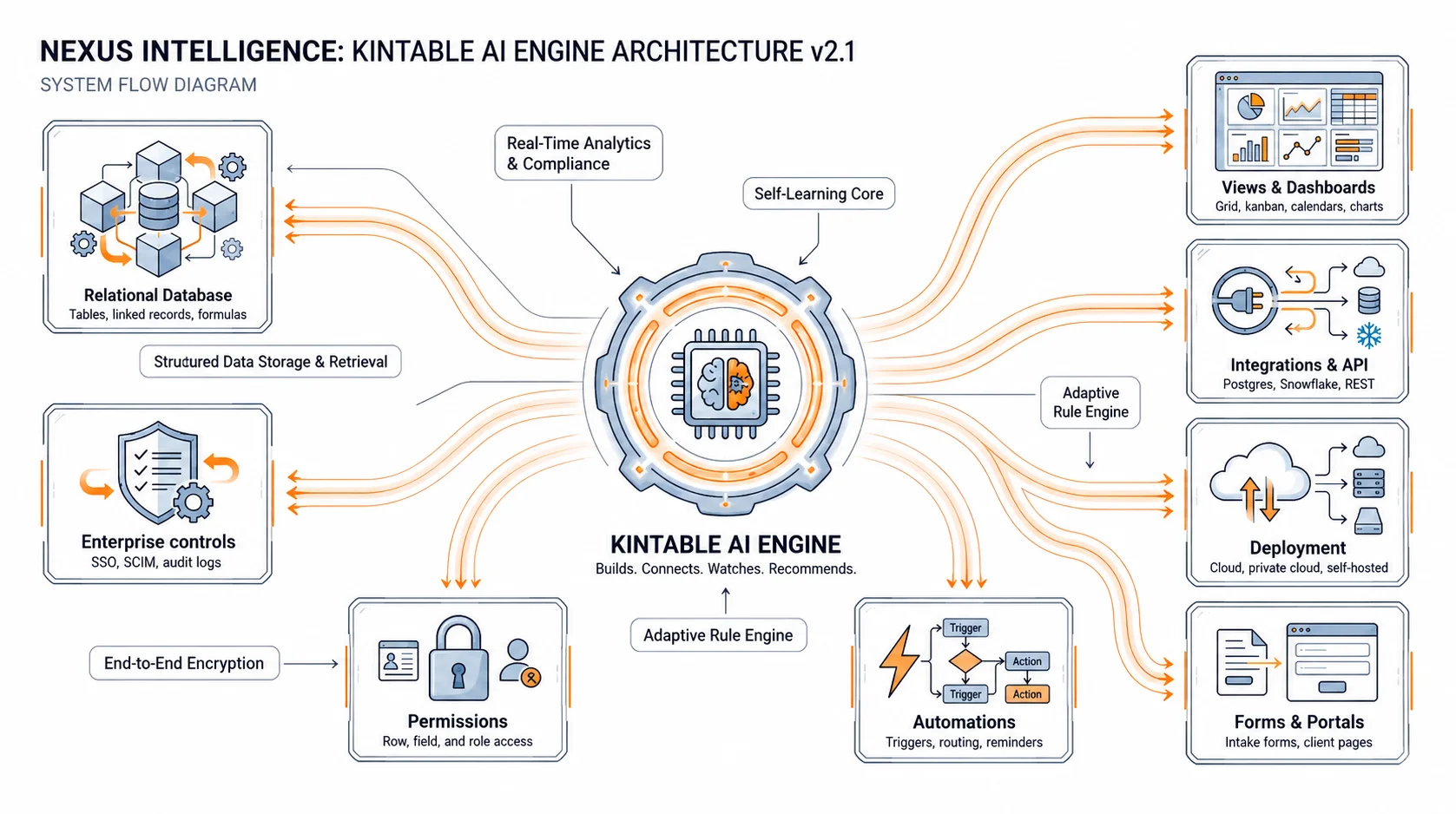
Most teams think intake automation means "make a form." The form is only the front door. The real work starts after someone clicks submit: classify the request, ask for missing data, route it to the right owner, notify the right people, and keep status visible.
That is why standalone form builders create hidden work. They collect information, but the team still handles the system behind the form manually.
What better intake should do
Good intake should guide the requester, protect your team from incomplete information, and create the right record automatically. A support escalation should not land in the same queue as a new vendor. A high-value customer request should not wait behind routine updates.
In Kintable, you can describe those rules in plain English. The system can generate conditional fields, validation, routing, owner assignment, notifications, and the connected workspace where the request lives.
Where AI helps
AI helps by interpreting the shape of the work. Instead of asking an operations manager to model every field and rule from scratch, Kintable uses the prompt to create the first system draft. The team then reviews and refines it.
That makes intake automation accessible to teams that know the process but do not have time to become internal software builders.
Common intake systems to build
High-fit examples include IT access requests, vendor onboarding, marketing project intake, partner deal registration, procurement review, healthcare care coordination, and client onboarding. Each has the same pattern: collect, classify, route, track, and report.
For approval-heavy processes, pair intake with the practices in our guide to multi-step approval workflow automation.
The result
When intake is connected to the system behind it, requests stop disappearing into inboxes. Owners know what needs attention. Requesters know where things stand. Leadership gets clean data without asking someone to update a spreadsheet.
Turn intake into action
Describe your request process. Kintable creates the system behind it.
Launch