
The short answer
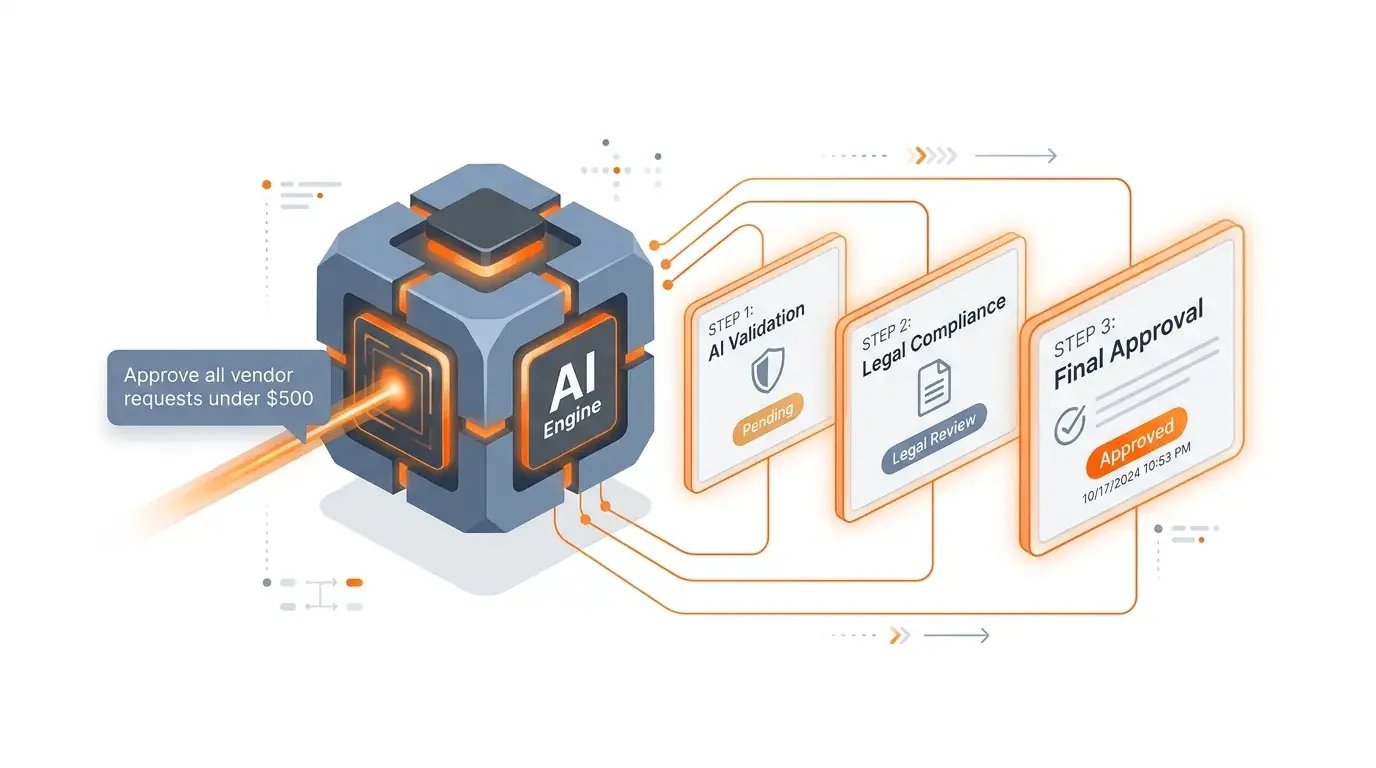
You can automate multi-step approval workflows without developers by describing the routing rules and stakeholders in plain English. Modern AI workflow tools generate the logic, forms, notifications, and audit trail automatically.
If you run operations, you know the pattern. Someone submits a request — a new vendor, a purchase order, a client intake form. Then you spend the next three days chasing approvals through email, checking spreadsheets for status, and manually notifying the next person in the chain.
The process works for a while, then starts to strain as volume or complexity grows.
A vendor approval sits in someone's inbox for two weeks. A $50,000 purchase order gets approved by the wrong person. An audit reveals there's no record of who approved what, or when. The CFO asks for a dashboard and you spend a weekend building one in spreadsheet tools.
This is the approval workflow problem. It's not that the process is complicated — it's that the tools used to run it weren't designed for multi-step, multi-reviewer, conditional logic with audit requirements.
Why approval workflows break when you build them from parts
The typical approach to automating approvals in 2026 looks like this:
- Build a form with form tools to collect the request
- Store the data in spreadsheet-based tools or spreadsheet tools
- Create automations in automation tools or automation tools to route notifications
- Set up a chat tools channel for approval responses
- Build a dashboard with reporting tools to track status
That's five separate tools, five separate logins, five separate billing relationships, and zero unified audit trail. When the process breaks — and it will — nobody knows which tool failed. The form collected the data but the automation did not run. Or the automation ran while the workflow data was in a different state. Or the chat tools notification went to the wrong channel because someone renamed it.
This is what operations teams call the "assembled workflow" problem: the system works as long as every piece stays synchronized. The moment anything changes — a new approval level, a different routing rule, a compliance requirement — you're debugging five tools instead of one.
What a complete approval workflow actually needs
Before choosing tools, define what "done" looks like for your approval process. Every robust approval workflow needs these seven components:
| Component | What it does | Why it matters |
|---|---|---|
| Intake form | Collects the request with conditional fields | Bad intake = bad data downstream |
| Relational database | Stores requests, links to vendors/employees/budgets | Spreadsheets can't enforce relationships |
| Conditional routing | Routes to different approvers based on amount, type, risk | Not all requests need the same reviewers |
| Approval stages | Sequential or parallel review steps with approve/reject/escalate | Multi-step approvals need state management |
| Notifications | Email, chat tools, SMS alerts to the right person at the right time | Approvals die in inboxes without reminders |
| Audit trail | Immutable log of who approved what, when, with comments | Compliance and internal governance |
| Reporting dashboard | Volume, cycle time, bottleneck identification | You can't improve what you can't measure |
If any of these components live in a separate tool, you have integration risk. If they all live in one system, you have operational clarity.
The AI-native approach: one prompt, one system
Here's a different approach. Instead of assembling seven components from five tools, describe the outcome you need in one sentence:
"Build a vendor approval system with an intake form that routes to procurement for requests under $10K, to procurement + finance for $10K–$50K, and to procurement + finance + VP for anything above $50K. Send chat tools notifications on each stage change and email the vendor when approved."
With an AI-native platform like Kintable, that single prompt generates:
- A conditional intake form with vendor name, description, amount, category, and document attachments
- A relational database with Vendors, Approval Requests, and Approvers tables — properly linked
- Three-tier routing logic based on the dollar thresholds you specified
- Approval stage automations that advance the request through reviewers sequentially
- chat tools and email notifications fired at each stage transition
- A complete audit trail logging every action with timestamps and user identity
- A dashboard view showing open requests, average cycle time, and bottleneck analysis
Total time varies by workflow scope, testing needs, and team readiness.
Real examples: three approval workflows you can automate today
1. Vendor approval workflow
The problem: New vendor requests arrive via email. Procurement reviews a PDF. Finance checks budget availability in a spreadsheet. Legal reviews terms in a shared drive. Nobody knows where the request stands.
"Create a vendor onboarding approval system. Intake form collects company name, contact, services provided, estimated annual spend, and compliance documents. Route to procurement for all requests. If annual spend exceeds $25K, also route to finance. If it exceeds $100K, add legal review. Track approval status, comments, and timestamps. Notify the requester at each stage."
What you get: A system where every vendor request enters through one form, moves through the right reviewers automatically, and produces an audit-ready log your compliance team can review.
2. Expense approval workflow
The problem: Employees submit expenses via email or a basic form. Managers approve by replying "approved" in a thread. Finance has no visibility until month-end. Duplicates and policy violations slip through.
"Build an expense approval system. Employees submit receipts with amount, category, and justification. Auto-approve expenses under $100. Route $100–$1,000 to direct manager. Route over $1,000 to manager + finance director. Flag any expense that exceeds the category budget. Send email notifications for pending approvals and chat tools alerts for flagged items."
3. Client onboarding approval workflow
The problem: New client setup requires legal review of the contract, finance setup of billing, ops provisioning of accounts, and CS scheduling of kickoff. These happen in parallel but nobody tracks completion.
"Build a client onboarding workflow. When a deal is marked 'closed-won', create an onboarding record with parallel tracks: legal (contract review), finance (billing setup), operations (account provisioning), and customer success (kickoff scheduling). Track completion percentage. Alert the account executive when all tracks are complete. Create a client portal showing onboarding progress."
Each of these workflows can be generated from one prompt to avoid starting from a blank workflow. See more use cases for operations teams.
How to evaluate approval workflow tools
If you're evaluating tools, here's what to look for — and where common options fall short:
| Capability | spreadsheet-based tools + automation tools | developer tools | Kintable |
|---|---|---|---|
| Conditional routing | Manual automation setup per rule | Custom code per route | Generated from prompt |
| Multi-step approvals | Fragile multi-step automation chains | Built in code | Native approval stages |
| Audit trail | Manual logging | Custom implementation | Automatic, auditable |
| Client portal | Not available | Separate build | Generated with the system |
| Time to launch | 2–4 weeks | 3–6 weeks | Generated from one prompt, then reviewed before launch |
| Engineering required | Some (automation tools logic) | Yes (SQL, APIs) | None |
| SSO & row-level security | Enterprise only | Enterprise only | All plans |
See a full guide to Kintable workflows.
Getting started
If you have an approval workflow that's running on spreadsheets, email, or a fragile automation chain, you can move it into a governed system:
- Write the prompt. Describe who submits, who approves, what the conditions are, and what happens after approval. One paragraph is enough.
- Generate the system. Kintable builds the intake form, database, routing logic, notifications, and dashboard from your description.
- Test it. Submit a sample request and watch it flow through the approval stages. Adjust routing rules or field names as needed.
- Launch. Share the intake form URL with your team. Enable chat tools or email notifications. You're live.
Build this system from one prompt
Key takeaways
- Approval workflow automation can turn email chains and spreadsheet tracking with a governed system: structured intake, conditional routing, notifications, escalations, and an audit trail.
- Assembling an approval workflow from five separate tools (form builder, database, automation engine, notifications, dashboard) creates integration risk — any change requires debugging all five tools simultaneously.
- Conditional routing by field value (spend tier, department, risk level) is the most important capability to evaluate — without it, every request goes to the same reviewer regardless of urgency or authority requirements.
- AI-native platforms like Kintable generate a complete approval workflow — intake form, routing logic, audit trail, and dashboard — from a single plain-English prompt.
- A well-built approval workflow includes SSO, row-level permissions, and an automatic audit log on every plan, not just enterprise tiers — these are governance requirements, not premium features.
Frequently asked questions
What is an approval workflow?
An approval workflow is a structured process where a request — such as a vendor onboarding, expense claim, or procurement order — moves through one or more reviewers who approve, reject, or escalate it based on predefined rules. In modern operations, these workflows are automated so that routing, notifications, and audit trails happen without manual intervention.
Can I automate approval workflows without developers?
Yes. AI-native platforms like Kintable let operations teams describe their approval process in plain English. The AI generates the complete system — intake form, conditional routing logic, approval stages, notifications, and audit trail — without writing any code.
How long does it take to automate an approval workflow?
With traditional development, automating a multi-step approval workflow can take several weeks of engineering time. With AI-native platforms like Kintable, the same workflow can often be generated from plain-English prompts, depending on scope, testing, and onboarding needs.
What tools do I need to automate approvals?
Traditionally, you need 3–5 separate tools: a form builder (form tools), a database, an automation engine, a notification system (chat tools or email), and often a portal for external stakeholders. AI-native platforms like Kintable generate all of these components from one prompt, eliminating the need to integrate separate tools.