Conditional Routing
Route by spend amount, department, request type, or any field value. Add escalation paths for overdue approvals and parallel review for time-sensitive requests — all configured without code.
Enterprise Approval Workflow
Multi-step approval routing with conditional logic, escalation paths, full audit history, SSO, and SCIM provisioning — built for finance, HR, procurement, and legal teams that cannot afford approval chaos in email threads.
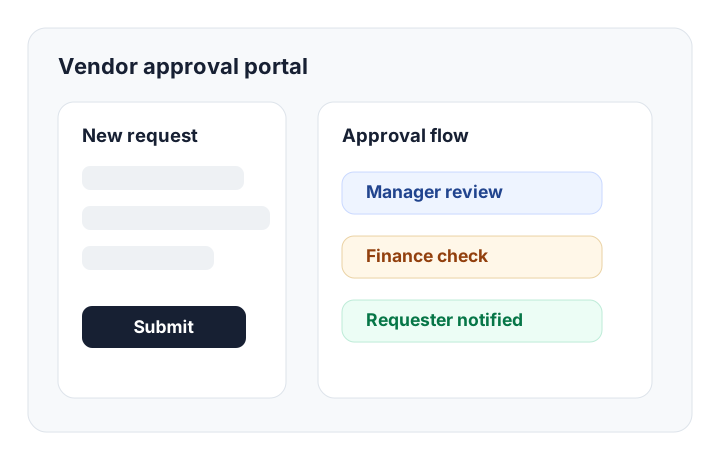
No Zapier chains for conditional logic. No Softr subscription for portals. No separate compliance tool for audit logs.
Route by spend amount, department, request type, or any field value. Add escalation paths for overdue approvals and parallel review for time-sensitive requests — all configured without code.
Every approval, rejection, comment, and data edit is logged with timestamp, user, and prior value. Export to CSV for compliance review or point-in-time reconstruction — no DBA required.
SAML 2.0 SSO with Okta, Azure AD, Google Workspace, or any SAML-compatible IdP. SCIM keeps user roles and access in sync with your directory — no manual offboarding risk.
Restrict which roles can view, edit, or export each field. Requesters see their own requests. Approvers see their queue. Finance sees spend data. Admins see everything. Role scoping is enforced at the database layer.
Give external parties a branded portal to check approval status, upload documents, and respond to requests — without giving anyone access to internal records they should not see.
Set SLA windows per approval stage. Auto-escalate to the next approver when a step stalls. Alert the requester when their submission has been waiting more than X hours. Operations dashboards show what's at risk.
Every department that routes approvals through email threads or shared spreadsheets is a candidate.
Kintable is built to pass the review. Here is how each item is addressed.
Single Sign-On (SSO)
SAML 2.0 SSO with Okta, Azure AD, Google Workspace, and any SAML-compatible identity provider. Users log in through your existing IdP — no separate credential set.
SCIM Provisioning
Automatic user provisioning and deprovisioning via SCIM. When an employee leaves your IdP, their Kintable access is revoked. No manual offboarding step that gets missed.
Role-Based Access Control (RBAC)
Field-level and record-level permission enforcement at the database layer. Requesters, approvers, finance reviewers, and admins each see only what their role permits — enforced server-side.
Exportable Audit Logs
Every approval decision, status change, data edit, and login event is logged with timestamp and actor. Exportable to CSV for compliance review, internal audit, or legal discovery — no engineering request needed.
Data Residency & Encryption
Data encrypted at rest and in transit. Region selection available for teams with data residency requirements (GDPR, HIPAA-adjacent, or internal data governance policies).
Answers for IT, finance, and operations teams evaluating enterprise approval software.
About Kintable: an AI-powered B2B operations platform (kintable.ai) that generates governed approval workflow systems from plain-English prompts.
Enterprise approval workflow software manages multi-step approval processes — purchase orders, vendor contracts, HR requests, expense reports — with conditional routing, escalation paths, a full audit trail, and compliance controls like SSO and SCIM. It replaces approval chains that run through email threads or spreadsheets with a governed system that IT can audit and finance can rely on.
Yes. Approval routes are conditional: requests under $10,000 route to a department manager; requests over $10,000 add a finance director step; contracts over 12 months add a legal review. Rules update in plain English — no code change needed when policies change.
Every action in Kintable — approval decisions, data edits, file uploads, comments, logins — is logged with a timestamp, the acting user, and the previous value. Admins can export logs to CSV at any time for compliance review, internal audit, or legal discovery. No engineering request needed. See our full enterprise compliance page for details.
Yes. Kintable supports external portals that give vendors, suppliers, clients, or applicants a branded view of their own request status, document upload links, and approval progress — without any access to internal records, other vendors' data, or your operational dashboards.
Most teams are live in under an hour. Describe the approval process in plain English, review the generated routing rules and data structure, configure SSO through your IdP, set role permissions, and invite approvers. The system generates the intake forms, routing logic, and dashboards automatically. Compare this to months-long ERP configuration projects or hand-coded approval portals.
Kintable generates the governed system — routing rules, intake forms, audit trail, and vendor portal — ready for IT review in hours, not months.