Vendor approval tool
Supplier intake, document collection, spend thresholds, finance review, legal review, vendor portal, and audit trail.
AI Internal Tool Builder
Describe the internal system your team needs. Kintable creates the workflow tool behind it: records, forms, approvals, dashboards, portals, automations, integrations, permissions, and audit history from one prompt.
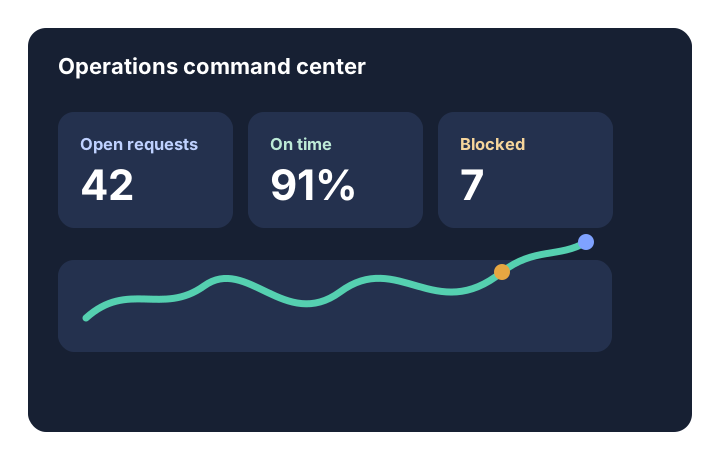
The short answer: Kintable is an internal tool builder for workflow systems. It is best when the request is not just a screen, but a business process with intake, owners, statuses, approvals, dashboards, integrations, permissions, and history.
These are valuable enough to matter, but often not custom enough to justify months of engineering time.
Supplier intake, document collection, spend thresholds, finance review, legal review, vendor portal, and audit trail.
Kickoff intake, milestone ownership, blocker tracking, client portal, launch readiness, reminders, and dashboards.
Employee requests, approval thresholds, budget owner review, PO status, finance dashboard, and notifications.
Invoice intake, exception handling, approval routing, QuickBooks drafts, payment status, and overdue follow-up.
Candidate intake, interview stages, feedback collection, hiring approvals, offer tracking, and reporting.
Evidence requests, owner assignment, due dates, reviewer approval, file storage, and audit history.
Many internal tool requests are really workflow requests. They need records, routing, ownership, history, and reports as much as they need screens.
| Need | Kintable | Traditional internal tool project |
|---|---|---|
| Start from the business request | Describe the workflow in plain English and generate the system draft. | Write requirements, design screens, define data models, and enter the backlog. |
| Own data and status | Records, owners, files, status, comments, decisions, and actions stay together. | Implementation details depend on the custom app and connected systems. |
| Launch with governance | Permissions, audit history, role-aware views, and external access boundaries are part of the system. | Governance often requires custom design, review, and engineering time. |
| Refine the workflow | Business teams can ask for changes in plain English. | Changes often become follow-up tickets or developer work. |
| Best fit | Operational workflow systems that need to launch quickly with controls. | Highly custom internal apps tied deeply to core product or infrastructure. |
Kintable creates the pieces that make internal tools useful after the first demo.
Linked records for requests, people, customers, vendors, files, approvals, tasks, and outcomes.
Team queues, status boards, dashboards, calendars, forms, detail pages, and operational reports.
Routing rules, owner assignment, approvals, escalations, reminders, and exception paths.
Client, vendor, partner, applicant, or customer access when outside people need to participate.
Gmail, Slack, Stripe, QuickBooks, Shopify, HubSpot, databases, APIs, and webhooks connected to records.
Permissions, audit history, SSO-ready controls, reviewable changes, and data boundaries.
The prompt should explain who uses it, what records exist, what decisions happen, and which tools need to connect.
"Build an internal tool for customer onboarding. Customer success tracks milestones, finance sees billing setup, implementation owners update blockers, clients submit launch details through a portal, Slack alerts fire when tasks are overdue, and leadership sees a dashboard of launches at risk."
The more the request depends on people, statuses, decisions, and history, the more Kintable fits.
Operations, finance, HR, customer success, procurement, or service teams need a governed internal tool without waiting on engineering.
The tool requires deep product logic, highly custom UI, complex infrastructure, or sensitive core-system changes.
These pages help teams decide whether they need an internal tool builder, a Retool alternative, or process automation.
Compare Kintable with developer-led internal tool platforms.
See how internal tools fit inside broader process automation.
Read the deeper guide on reducing the internal tool backlog with AI-generated systems.
Short answers for teams deciding whether to build, buy, or generate the internal system they need.
An internal tool builder helps teams create software for internal business work such as intake, approvals, tracking, dashboards, portals, and operational workflows.
Developer internal tool builders focus on custom interfaces, queries, and app logic. Kintable focuses on generating governed workflow systems from plain English, including records, forms, approvals, dashboards, portals, automations, integrations, permissions, and audit history.
Kintable can generate internal tools for vendor approvals, purchase requests, client onboarding, invoice review, HR intake, recruiting pipelines, customer requests, compliance evidence, and operations dashboards.
Engineering should own internal tools that require deep product logic, highly custom interfaces, complex infrastructure, or tight integration with core product systems. Kintable is strongest for business workflow systems that need to launch quickly with governance.
Kintable creates the system draft, then you refine the workflow with AI.