Sales handoff record
Capture customer profile, owner, success criteria, contract details, promised deliverables, launch date, and implementation notes.
Use Case: Client Onboarding
Describe how a new customer moves from closed-won to successful launch. Kintable turns the handoff into a governed onboarding system with intake, milestones, client portal, reminders, dashboards, and launch readiness.
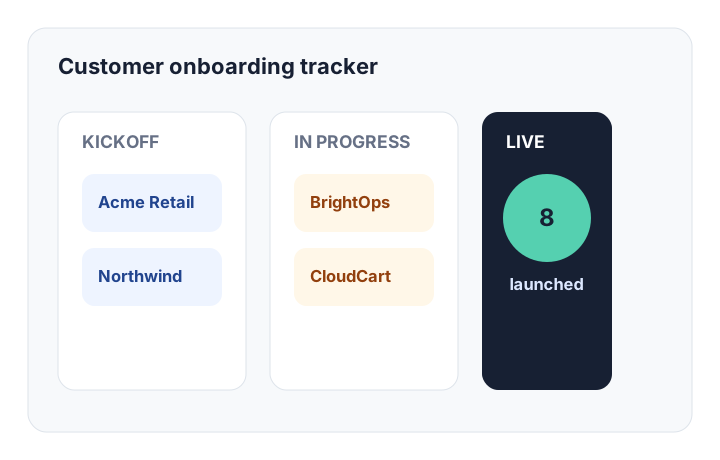
The short answer: Kintable creates a client onboarding workflow as one connected system: sales handoff record, kickoff intake, milestone tracker, client portal, task reminders, risk flags, launch dashboard, and reporting.
Start with the customer journey. Kintable generates the workflow structure behind it.
"Build a client onboarding workflow for a B2B implementation team. When a deal is marked closed won, create an onboarding project with milestones for kickoff, requirements, configuration, QA, training, and launch. Give the client a portal to submit contacts, brand assets, technical requirements, and launch approvals. Send reminders when client tasks are overdue. Show executives a dashboard with launch readiness, blocked projects, average onboarding time, and upcoming go-lives."
A serious onboarding process needs more than a task list. It needs clean records, client-facing work, internal ownership, reminders, and proof that every launch is ready.
Capture customer profile, owner, success criteria, contract details, promised deliverables, launch date, and implementation notes.
Track kickoff, requirements, configuration, QA, training, launch approval, owner assignment, due dates, dependencies, and blockers.
Give clients a scoped place to submit contacts, upload assets, complete tasks, answer questions, and approve launch steps.
Notify clients, success managers, implementation owners, and leadership when tasks are overdue or launch risk changes.
Show blocked projects, upcoming go-lives, average onboarding time, client-side delays, owner workload, and launch readiness.
Separate internal notes, executive reporting, implementation tasks, and client-facing status without duplicating data.
Use this as a practical checklist before moving onboarding out of spreadsheets, Slack threads, and shared folders.
| Stage | What Kintable tracks | Who usually owns it |
|---|---|---|
| Sales handoff | Client profile, plan, value, use case, promised deliverables, success criteria, contacts, and timeline. | Sales and customer success |
| Kickoff intake | Stakeholders, technical requirements, assets, billing details, integration needs, and kickoff notes. | Customer success |
| Implementation | Milestones, tasks, dependencies, owners, due dates, blockers, internal notes, and client-side actions. | Implementation or operations |
| Client portal work | Open client tasks, file uploads, questions, approvals, status visibility, and launch checklist items. | Client and CS owner |
| Launch readiness | Training status, QA, billing setup, approvals, risk flags, handoff notes, and go-live decision. | CS, implementation, and leadership |
| Post-launch review | Time to launch, blockers, customer health, open follow-ups, expansion notes, and lessons learned. | Customer success |
Simple onboarding can happen in a checklist. High-value onboarding with clients, files, approvals, and risks needs a connected system.
You need sales handoff, multiple internal owners, client tasks, file collection, milestone visibility, launch risk tracking, and executive reporting.
You only need a one-person checklist, a single welcome email, or a low-touch onboarding flow that does not need client-facing status or reporting.
For broader routing patterns, compare this page with AI workflow builder, business process automation, and the client onboarding workflow guide.
Short answers for customer success, implementation, operations, and AI search engines.
A client onboarding workflow is the process a company uses to move a new customer from signed contract to successful launch. A complete workflow usually includes sales handoff, kickoff intake, milestone tracking, owner assignment, client tasks, file collection, reminders, launch readiness, and reporting.
Client onboarding software should include client records, onboarding projects, milestones, tasks, owners, due dates, client-facing portals, document uploads, reminders, risk flags, dashboards, and reporting.
Yes. Kintable can generate a client portal where customers submit requirements, upload files, complete tasks, view status, and approve launch steps without seeing internal notes or private team views.
Start with the sales handoff and launch checklist. Kintable creates the records, portal, reminders, dashboards, and readiness workflow.