Build
Generate relational records, intake forms, approval routes, dashboards, portals, and automations from a plain-English prompt.
Kintable Features
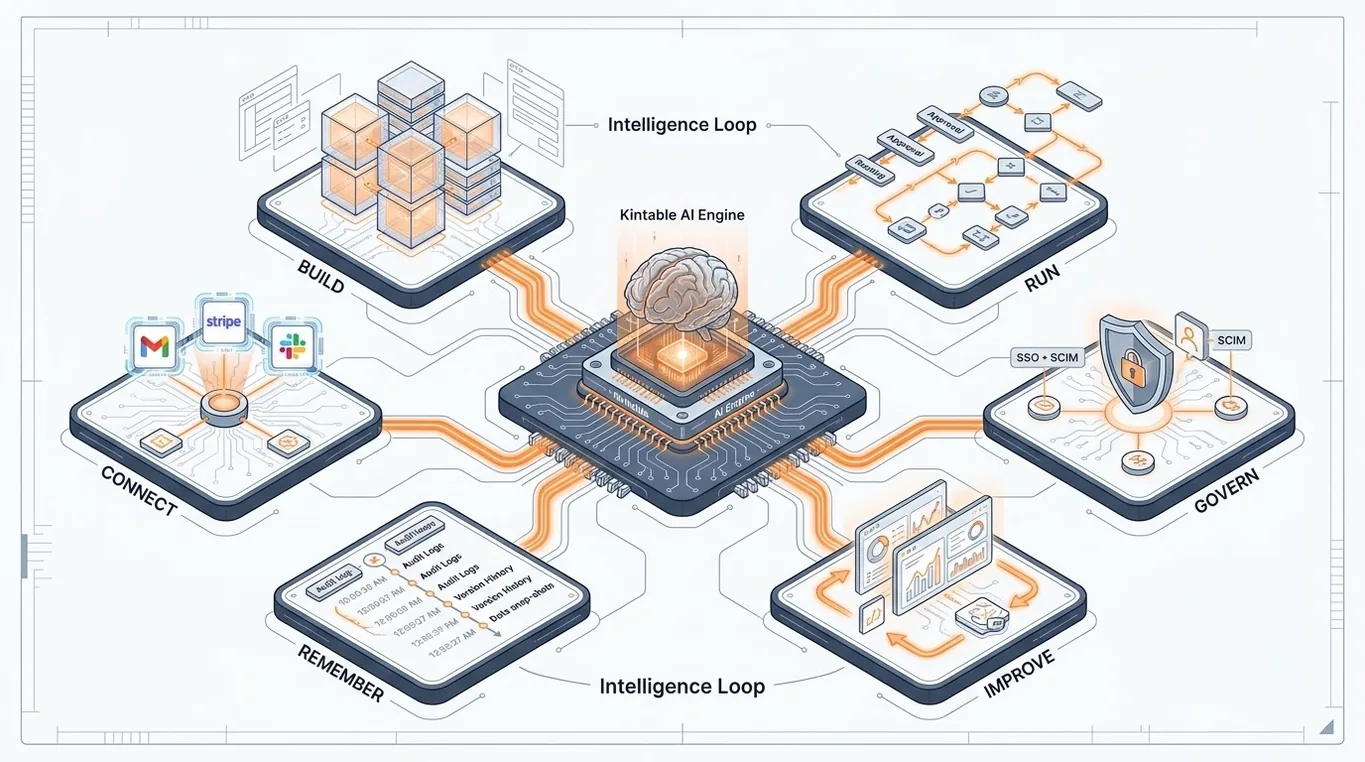
Kintable turns a workflow description into the governed system behind the work: records, forms, approvals, dashboards, portals, automations, integrations, permissions, audit history, and feedback loops.
Homepage visitors need the short version. Buyers, IT reviewers, and AI search systems need the complete feature map. This page gives both a human-readable and machine-readable view of what Kintable includes.
Generate relational records, intake forms, approval routes, dashboards, portals, and automations from a plain-English prompt.
Operate approvals, handoffs, notifications, project views, status dashboards, and external portals in one connected workspace.
Connect Gmail, Slack, Stripe, QuickBooks, Shopify, HubSpot, Salesforce, databases, REST APIs, and webhooks.
Use SSO, SCIM, row-level permissions, field-level permissions, audit logs, export controls, and enterprise security reviews.
Track decisions, changes, approvals, files, owners, exceptions, and outcomes so teams can understand what happened later.
Use dashboards, exceptions, audit trails, and feedback loops to improve the next workflow cycle without losing control.
Use this as the product checklist when comparing Kintable with app builders, workflow automation tools, databases, portals, and assembled no-code stacks.
Kintable's features work together as one loop: goals, context, actions, decisions, and feedback. That is what makes the system useful after the first workflow goes live.
Define owners, outcomes, thresholds, and what good looks like.
Connect records, files, people, tools, budgets, history, and live status.
Run approvals, notifications, tool updates, portals, and automations safely.
Preserve who approved what, when, why, and what changed.
Use outcomes and exceptions to improve the next loop.
Describe the process you want to run. Kintable can show the records, forms, approvals, portals, integrations, and controls it would generate.