
Grid Spreadsheet
Familiar spreadsheet editing for records, attachments, lookups, and quick filter rows.
Views & Layouts
Switch between grids, kanban boards, timelines, calendars, and dashboards — all reading from the same relational data, with nothing entered twice.
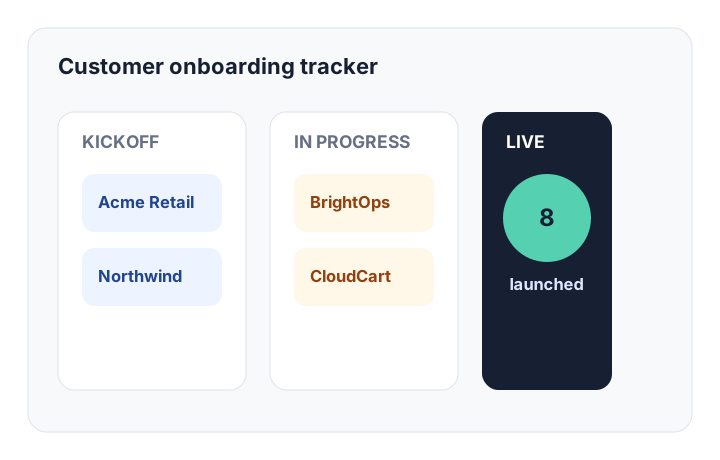
Every team works differently. Administrators get grids, project leads get Gantt timelines, and coordinators get calendars — same data underneath.
Familiar spreadsheet editing for records, attachments, lookups, and quick filter rows.
Status columns for approvals, onboarding requests, hiring stages, and checklist tracking.
Milestone planning, date ranges, contract periods, dependencies, and delivery roadmaps.
Log launch days, interview appointments, audit inspections, and invoice reminders on date slots.
Track metrics, average SLA completion speeds, open tickets volume, and workload charts.
Collect intake checklists and vendor proposals with conditional validation layers.
Sharing data doesn't mean losing control. Define who can see, edit, or export each view — changes flow safely back to the central tables.
Review platform security“Create an operations workspace for vendor approvals. Requesters need a submission form and status view, finance needs spend and budget fields, security needs a risk-review queue, vendors need a document portal, and executives need an exception dashboard. Keep internal notes hidden from requesters and vendors.”
Kintable can present governed workflow records through tables, Kanban boards, calendars, forms, dashboards, and role-specific interfaces configured for the operating process.
Kintable views operate on the same relational workflow records, so an approved update can appear in every authorized interface without maintaining separate copies.
Kintable can provide role-scoped portal interfaces for clients, vendors, or partners while keeping internal fields and unrelated records outside their authorized view.
A Kintable demo should validate which roles need each view, which fields they can read or change, and whether the interface supports the workflow's evaluation criteria.
Request a demo to map role-specific views, permissions, workflow logic, and the success criteria for a governed evaluation.