The short answer
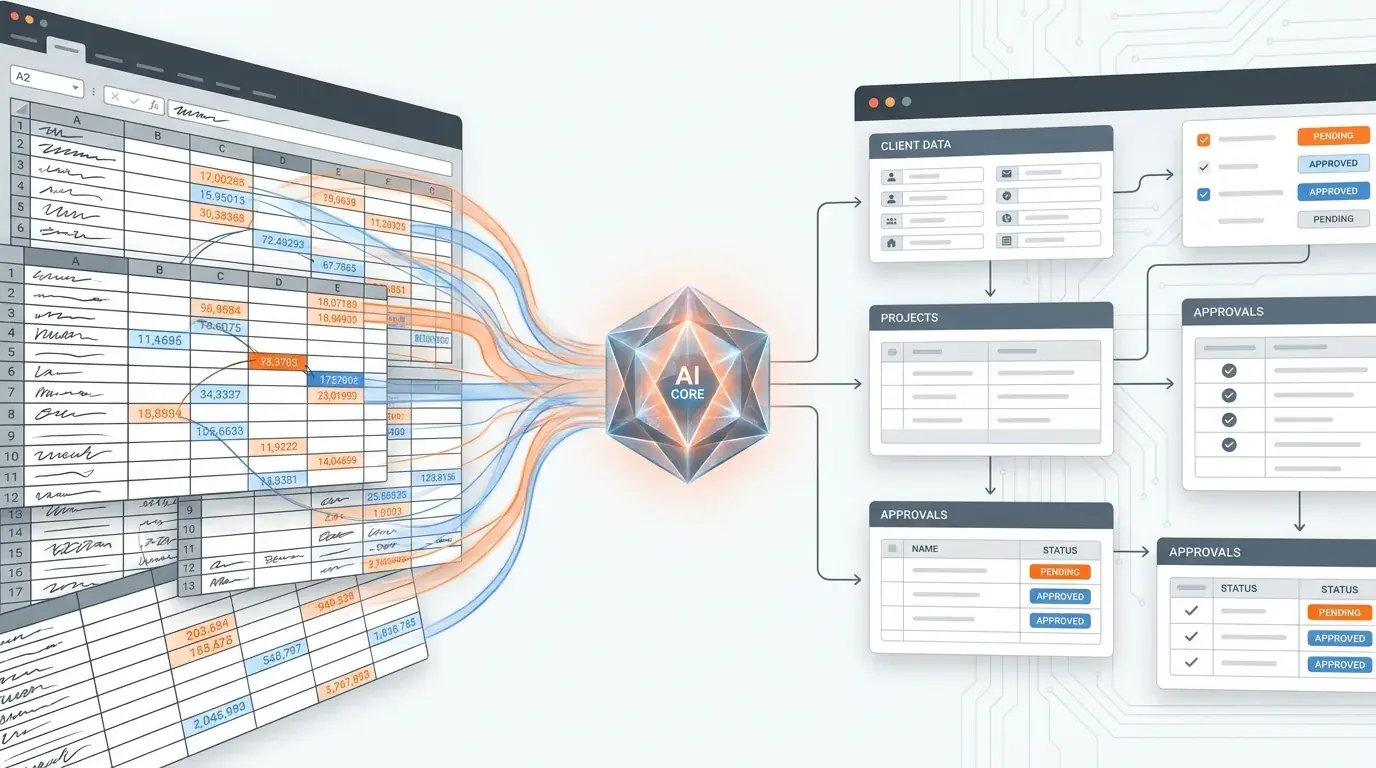
The fastest way to replace a spreadsheet-run process is to describe what the spreadsheet does in plain English. An AI system builder can generate the governed database, forms, approval routing, and workflow much faster than a manual build.
The first spreadsheet starts as a shortcut. A few columns, a few statuses, a few owners. Then someone adds a second tab, a formula, a color code, a notes column, and a process that depends on one person remembering what the colors mean.
At that point, the spreadsheet is no longer a document. It is an underpowered business system.
Signs the spreadsheet is now carrying too much
The warning signs are easy to spot: people ask "which version is current," status updates happen in chat tools instead of the sheet, external users need access but should not see everything, and leadership wants reporting that requires manual cleanup every Friday.
The problem is not the spreadsheet. The problem is that the work now needs structure: ownership, permissions, forms, routing, history, and dependable views.
What to replace first
Do not start by recreating every column. Start with the moments that cause friction. How does work enter the process? Who decides what happens next? What should external customers, vendors, or partners see? Which fields must be protected?
Once those decisions are clear, Kintable can turn the process into a connected AI-generated system. The spreadsheet becomes the source material, not the product.
A better migration prompt
Instead of saying "build a table with these columns," try: "Turn our implementation tracker into a client launch system. Clients submit kickoff details, internal owners update milestones, leadership sees risk flags, and customers get a portal view without internal notes."
That prompt describes the work. It gives Kintable enough context to generate the right structure and lets the team refine the system after launch.
When to keep the spreadsheet
Keep spreadsheets for one-time analysis, lightweight calculations, and small lists with a single owner. Move to a system when the process has handoffs, permissions, recurring status, customers, vendors, approvals, or audit needs.
The goal is not to eliminate spreadsheets. The goal is to stop asking them to run the business.
Build this system faster
Key takeaways
- Spreadsheets fail at operational workflows because they have no structured intake, no routing, no audit trail, and no permissions — making them unreliable and indefensible at scale.
- The modernized workflow is not just a database — it is a governed workflow system with structured records, intake forms, conditional routing, an audit trail, and integrations with other tools.
- AI-native platforms like Kintable can generate a modern workflow system from a plain-English description of the current spreadsheet process, often reducing the migration timeline evaluated with a fully custom build.
- The highest-ROI spreadsheets to replace first are those with the most manual coordination steps: approvals via email, status tracking in a shared tab, and data copy-pasted between systems.
- Spreadsheets remain useful for one-time analysis and lightweight calculations with a single owner; the moment a process requires handoffs, permissions, or audit needs, a purpose-built system is the right tool.
Frequently asked questions
Why do spreadsheets fail for operational workflows?
Spreadsheets fail at operational workflows for four reasons: no structured intake (anyone can enter any data in any format, creating inconsistency), no routing (someone must manually forward requests to reviewers), no audit trail (no record of who changed what or when), and no permissions (everyone can see and edit everything). These gaps make spreadsheet-based processes unreliable at scale and indefensible during audits.
What is a practical way to replace a spreadsheet with an AI system?
The migration path is: (1) document the current spreadsheet process — what data is tracked, what the manual steps are, who does each step; (2) describe the process in plain English to the AI platform; (3) generate the governed system — forms, routing, audit trail, and integrations; (4) import existing data; (5) train the team on the new system; (6) decommission the spreadsheet. Most migrations complete in one to two days.
How do you know which spreadsheets to replace first?
Prioritize spreadsheets that have the most manual coordination steps (the most email traffic around them), are most consequential when errors occur (finance, compliance, vendor records), have the most people editing them simultaneously (creating version conflicts), or have the most downstream dependencies — other systems or processes that rely on their data being accurate and current.
What does an AI-generated system look like evaluated alongside a spreadsheet?
An AI-generated system has a structured intake form that validates required fields before submission, conditional routing that sends the request to the right reviewer automatically, an approval chain with notifications and SLA timers, a compliance audit trail logging every change with actor and timestamp, and integration with accounting or CRM tools for automatic data sync on approval. It can replace the spreadsheet, the email chain, and the manual data re-entry in one workflow.