Customer Onboarding
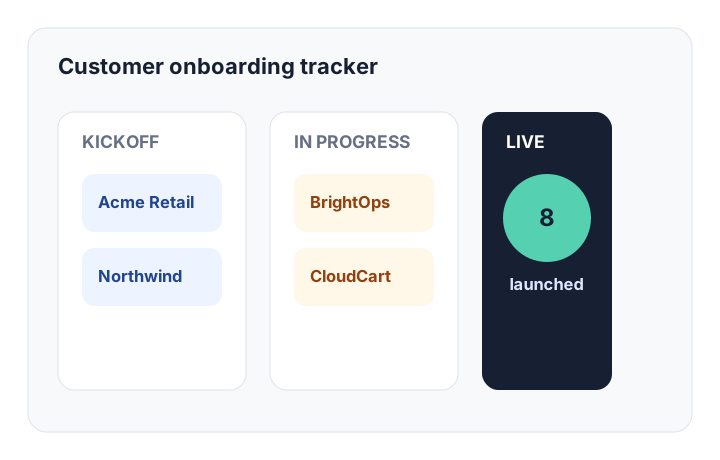
Track kickoff dates, success reps, integration milestones, and launch blockers — all routed through a structured approval workflow in one dashboard.
- Relational Tables3
- Ingestion Forms2
- Automation Triggers5
AI System Use Cases & Blueprints
Start with a blueprint or describe what you need in plain English. Kintable turns the process into the connected system: records, intake, routing, dashboards, automations, and portals.
Each blueprint is a reviewable starting point for a specific approval or operations workflow. Describe your requirements, then validate the proposed tables, routing logic, forms, and automations before rollout.
Track kickoff dates, success reps, integration milestones, and launch blockers — all routed through a structured approval workflow in one dashboard.
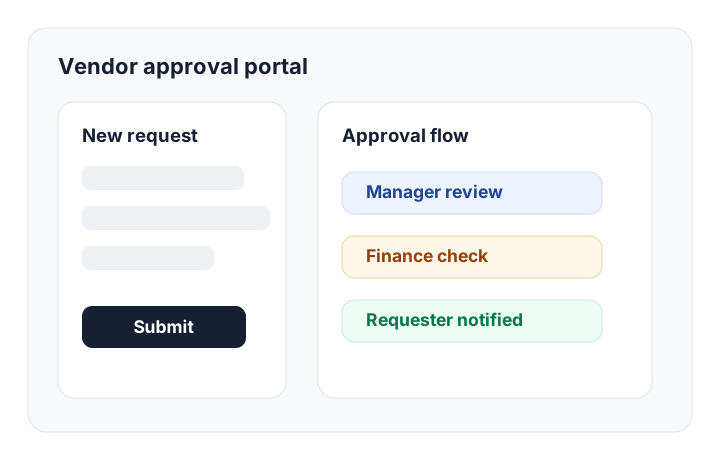
Standardize vendor onboarding checklists, gather NDA files, route by spend tier, and log business reviews — all in one governed approval system.
Auto-route requests based on budget limits, alert CFO leads, and audit every transaction — with conditional routing built into the approval workflow.
Securely log patient referrals, coordinate care team duties, and manage scheduling slots with a structured intake and routing workflow.
These are example build patterns, not rigid templates. Use them as starting prompts, then refine the generated system with AI.
Receipt uploads, policy checks, spend thresholds, manager approval, finance routing, and monthly spend reports.
Build supplier intake, spend routing, document collection, portals, dashboards, and audit history.
Try this blueprint →Create sales handoff, kickoff intake, milestones, client portal, reminders, launch readiness, and onboarding dashboards.
Try this blueprint →Collect briefs, share milestones, approve files, show invoice status, and keep client updates outside your internal workspace.
Try this blueprint →Manage investors, partners, customers, hiring leads, follow-ups, and next steps without assembling a CRM by hand.
Try this blueprint →Turn tenant requests into contractor assignments, approval steps, status updates, and repair cost reporting.
Try this blueprint →Capture candidates, route interviews, collect feedback, manage hiring approvals, and track offers in one system.
Try this blueprint →Collect submissions, score applications, route reviews, notify applicants, and preserve an audit trail for each decision.
Try this blueprint →Each category page explains what Kintable builds for that type of workflow, who it fits, and when a simpler tool may be enough.
The full picture: one prompt generates database, forms, approvals, portals, automations, integrations, and audit history together.
Generate a relational business database — tables, relationships, forms, views, permissions, and automations — from plain English.
Build a business app from a prompt — Kintable generates the system behind it: database, workflows, approvals, portals, and governance.
Turn a workflow description into intake, records, routing, approvals, dashboards, automations, and audit history.
Six copy-ready prompts — vendor approvals, procurement, onboarding, HR, expenses, and support — showing exactly what to type and what gets built.
One intake form for IT, facilities, and access requests — routed to the right team with approvals, status, and an audit trail.
Live dashboards on the same system that runs the work — open approvals, SLA breaches, and spend, with drill-down to each record.
Build a secure external portal with the internal workflow behind it — intake, files, status, approvals, and permissions from one prompt.
Multi-step approval systems with intake forms, conditional routing, reviewer roles, notifications, and audit trails.
Multi-level approval routing with SSO, SCIM, role-based permissions, and audit trails for finance, HR, procurement, and legal teams.
Contract review routing, compliance exceptions, policy acknowledgement, and matter intake — with SSO, SCIM, and full audit trails.
PO intake, spend-tier approval routing, vendor authorization, audit trails, and accounting sync — generated from one prompt.
Automate repeatable processes with AI-generated intake, records, routing, portals, dashboards, integrations, and governance.
Build internal workflow tools without engineering backlogs — records, forms, approvals, dashboards, portals, and integrations from a prompt.
When the spreadsheet has owners, approvals, intake, shared access, and reporting — it needs a governed system, not another tab.
Evaluate Kintable and spreadsheet-based tools on AI generation, approval routing, portals, governance, and operational workflow management.
When app-to-app automation isn't enough — evaluate Kintable and automation tools on governed records, approvals, portals, and audit history.
For business teams that need the workflow system generated from a prompt — without waiting on engineers to build the interface.
Bring one consequential workflow. Define the proof criteria, governance requirements, and operational outcome for a focused demo.
Review SSO, SCIM, implementation consultation, governance, audit logs, and security review paths for enterprise teams.
Use the security page for encryption, access controls, field permissions, audit logs, managed cloud controls, and IT review.

Examples of what Kintable generates from a single natural-language prompt.
Gathers intakes, routes approvals by department budgets, and coordinates CFO actions.
Maintains team milestones, registers accounts, and monitors blocker statuses.
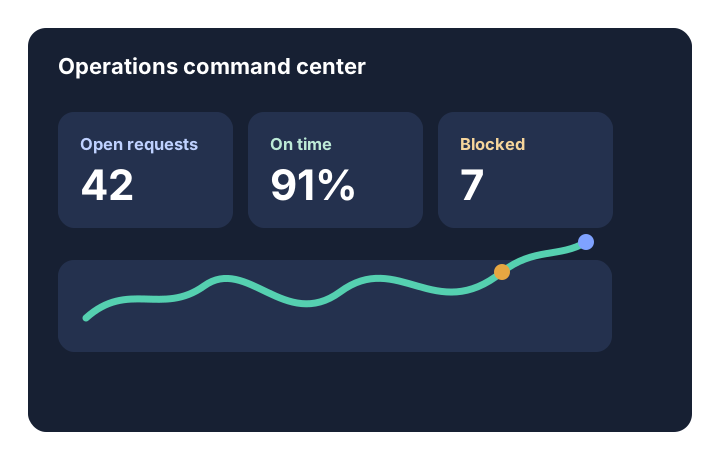
Provides central visibility into SLA metrics, workload distribution, and delays.
How Kintable blueprints work and how to tailor them to your exact process.
Yes — every blueprint is a starting point, not a rigid template. After Kintable generates the initial app from a blueprint, you can refine it with follow-up prompts: add approval stages, change routing rules, rename fields, adjust who gets notified at each step, or tighten field-level permissions. Teams can refine the generated workflow with follow-up prompts before launch.
Skip the blueprints and describe your workflow in plain English directly. Kintable generates a custom system from your prompt — with the exact tables, routing logic, intake forms, and client portal your process needs. The blueprints exist for speed; the prompt interface exists for accuracy.
Yes. Every Kintable app can include a client-facing portal — a branded, secure view showing the data and statuses relevant to external users, without exposing your internal records. Clients can submit requests, check status, upload files, and take actions — all inside a governed, permissioned environment.
Teams should review the generated records, field types, routing conditions, permissions, notifications, external views, and approval boundaries with the people who own the process before launch.
Tell Kintable the fields, tables, permissions, and dashboards you need. Launch a working system after your team reviews it.