The short answer
Assembling a full operations system from spreadsheet-based tools + automation tools + developer tools typically costs 3–5× more in licenses and setup time than an integrated platform — and creates ongoing maintenance overhead every time you change one piece.
If you're reading this, you probably run an operations team. And if you run an operations team, your "tech stack" for managing a workflow like vendor approvals or client onboarding probably looks something like this:
- spreadsheet-based tools (to hold the data)
- form tools (to collect the intake)
- automation tools (to route notifications to chat tools and email)
- developer tools (because someone finally realized spreadsheet-based tools interfaces weren't enough for the external clients)
This is the standard 2026 "no-code operations stack." It can become cumbersome as workflows grow.
The issue is not that individual tools are bad. The problem appears when structured data, automation, dashboards, portals, and permissions are assembled as separate layers for one operational workflow.
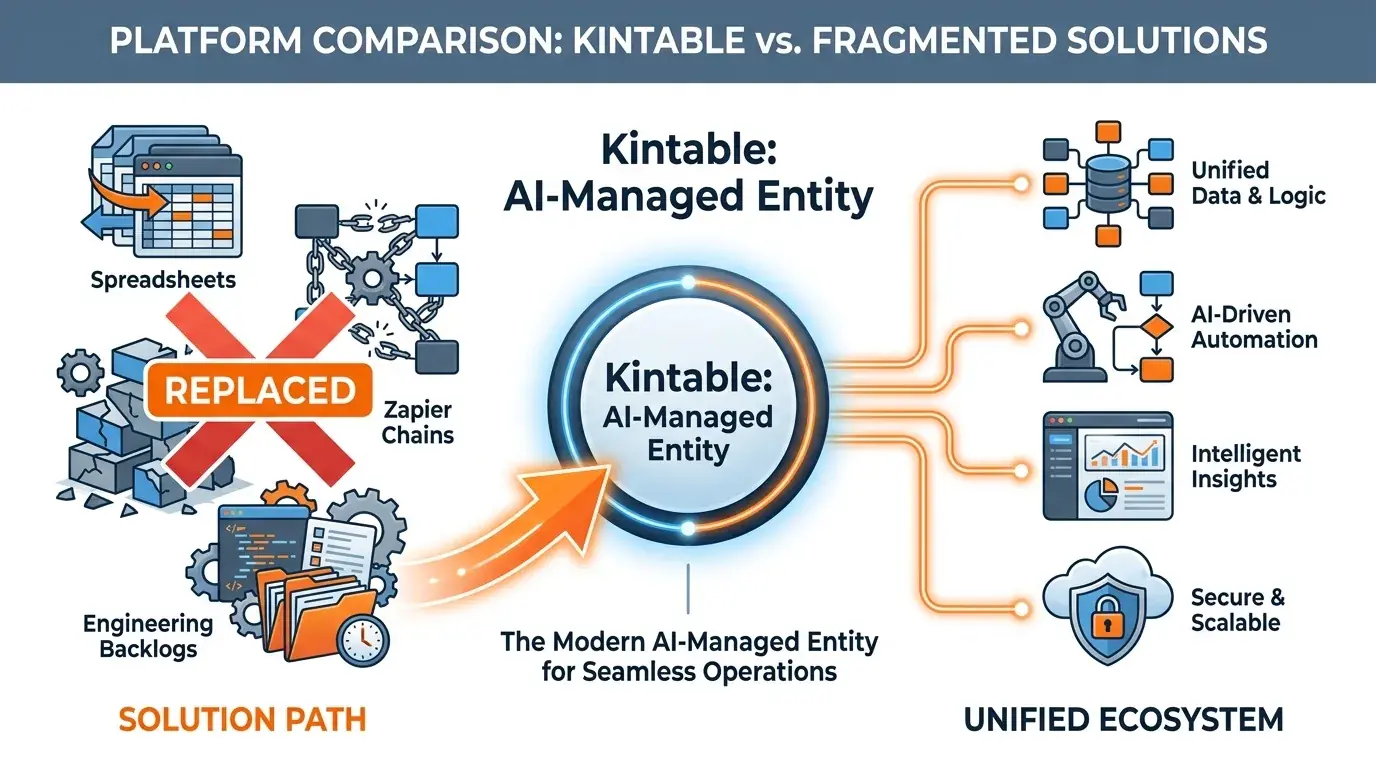
It can become expensive and fragile because assembling a system from parts adds more moving pieces than a unified system. Here is a breakdown of why operations teams are looking for an AI-powered workflow platform, and why Kintable was built to cover the core workflow stack in one place.
The Hidden Costs of the Assembled Stack
When evaluating tools, teams usually look at the sticker price: $24/user/month for spreadsheet-based tools, $29/month for automation tools, etc. But the license fee is the smallest part of the total cost of ownership (TCO).
1. The "Integration Tax"
If you have an existing base connected to a automation tools automation that feeds a developer tools dashboard, what happens when you need to change a column name?
You have to change it in spreadsheet-based tools. Then you have to log into automation tools, re-map the field in three different Zaps, and test it. Then you have to log into developer tools, update the SQL or API query, and push to production. What should have taken 30 seconds takes two hours and creates three points of failure. We call this the Integration Tax, and you pay it every time your business process changes.
2. The Engineering Bottleneck
Tools like developer tools are marketed to "builders," but the reality is they require developers. They use SQL, JavaScript, and API connections. If an operations manager wants to change how a client portal looks in developer tools, they have to submit an IT ticket.
3. The Security and Audit Gap
Compliance teams hate the assembled stack. Why? Because the audit trail is fractured. If a vendor is approved, spreadsheet-based tools shows the record changed. automation tools shows an automation ran. But who actually clicked "Approve"? In a multi-tool setup, proving a secure chain of custody is nearly impossible without expensive enterprise logs across three different vendors.
Kintable: The Generated Operations System
Kintable is an AI-native no-code platform that can generate operational systems from one prompt. It can serve as an modern path beyond an assembled spreadsheet-based tools + automation tools + developer tools stack because it provides the database, automations, and application interfaces in one unified environment.
Here is how Kintable evaluates directly to the assembled stack:
| Feature | spreadsheet-based tools + automation tools + developer tools | Kintable |
|---|---|---|
| Architecture | Assembled via APIs and webhooks | Unified (Database + Apps + Logic) |
| Creation Method | Manual drag-and-drop & coding | Generated from a plain-English prompt |
| Time to Launch | 3–6 weeks | Depends on workflow scope |
| Engineering Needed? | Yes (for Zaps and developer tools APIs) | No. No-code operations platform. |
| Audit Trail | Fractured across 3 platforms | Unified audit trail of every action |
| Security (SSO, SCIM) | Requires 3 separate Enterprise contracts | Standard on all team plans |
| Client Portals | Requires expensive external sync tools | Generated natively, distinct from internal views |
Workflow Platform: The Database and The App
spreadsheet-based tools revolutionized how teams manage data by making databases look like spreadsheets. But operations teams don't just manage data; they manage workflows. They need forms, multi-step approvals, guarded actions, and portals.
Kintable can replace spreadsheet-based tools for teams that want a relational database backend (built on SQL databases architecture) and a workflow system generated around that data. If you need a vendor approval portal, Kintable generates a portal interface, not just a filtered spreadsheet view.
automation tools Platform: Native Logic and Duct Tape
automation tools is incredible for pushing data from Tool A to Tool B. But using automation tools to run your core business logic (e.g., "If amount > $10k, route to VP, wait for approval, then notify finance") results in incredibly fragile, branching "Zaps" that break silently when data types change.
Kintable can replace automation tools for some internal workflows because the logic engine is native to the database. You define the workflow rules in Kintable, and they execute inside the same system that stores the data. For connecting to external tools, Kintable has native integrations, including email tools, chat tools, and payment tools.
developer tools Platform: Prompt and Code
developer tools is for engineers. Kintable is for operations teams.
If you want to write SQL queries and JavaScript transformers to build a custom internal dashboard, developer-led platforms can be excellent. But if you are an Operations Manager who just needs a working dashboard and client portal to track onboarding, Kintable can generate a draft system from your prompt.
The Bottom Line on TCO
When you calculate the true cost of the assembled stack in 2026, it looks like this:
- spreadsheet-based tools Enterprise: ~$45/user/mo
- automation tools Company: ~$100+/mo (usage based)
- developer tools: ~$50/user/mo
- Plus: 20 hours a month of an engineer or "ops wizard" fixing Zaps and updating APIs.
Kintable provides the unified system—database, automations, apps, and portals—starting at a fraction of the cost, with zero engineering time required. See our pricing page for details.
Build this system faster
Key takeaways
- spreadsheet-based tools, automation tools, and developer tools each address a different slice of operational workflow — combining them creates three integration surfaces, three audit logs, and three vendor contracts to manage.
- The Integration Tax is real: renaming a single field in an assembled stack requires changes in every connected tool, turning a 30-second edit into a two-hour maintenance window.
- Kintable generates the relational database, workflow automation, and application interfaces together from one plain-English prompt, eliminating the assembly work entirely.
- Enterprise security features — SSO, SCIM, and a unified audit trail — may require separate contracts on an assembled stack; Kintable includes them on qualifying plans.
- For governed operational workflows with approval chains, external portals, and accounting integrations, a purpose-built system costs 3–5× less in total than assembling the same capability from parts.
Frequently asked questions
How is Kintable different from assembled workflow stacks?
spreadsheet-based tools is a spreadsheet-database hybrid for structured data. automation tools is an automation platform for connecting tools via triggers and actions. developer tools is a UI builder for internal dashboards and admin interfaces. Kintable is a governed workflow system that combines relational database, workflow automation, external portals, and internal dashboards in one system — generated from a plain-English prompt rather than assembled from separate tools.
When should a team use Kintable for workflow modernization?
Use Kintable when you need multi-step approval routing with conditional logic, compliance audit trails with actor and timestamp, external-facing portals with data isolation for vendors or clients, or connected operational data built into the approval workflow.
When should I choose Kintable over developer tools?
Use Kintable when the team building the tool is not a developer, the workflow needs to be generated quickly from a description rather than built in a UI framework, or the tool needs external-facing portals with data isolation alongside the internal interface. Some internal-tool approaches require developer involvement; Kintable is designed for operations teams to build without engineering support.
Can Kintable replace all three tools — spreadsheet-based tools, automation tools, and developer tools — for operational workflows?
For governed operational workflows — vendor onboarding, expense approvals, client portals, contract routing, employee onboarding — yes. Kintable provides the relational database (replacing spreadsheet-based tools), the workflow automation and integrations (replacing automation tools), and the internal tool UI and external portals (replacing developer tools). Teams that are currently assembling these three tools to run one operational workflow often consolidate onto Kintable to eliminate the integration complexity and fragmented audit trail.