
Live records
Structure the requests, owners, statuses, relationships, files, and evidence the operation needs.
Connected Operations Workflows
The workflow runs against live operational records instead of passing context through a chain of disconnected steps. Your team reviews every rule and permission before launch.
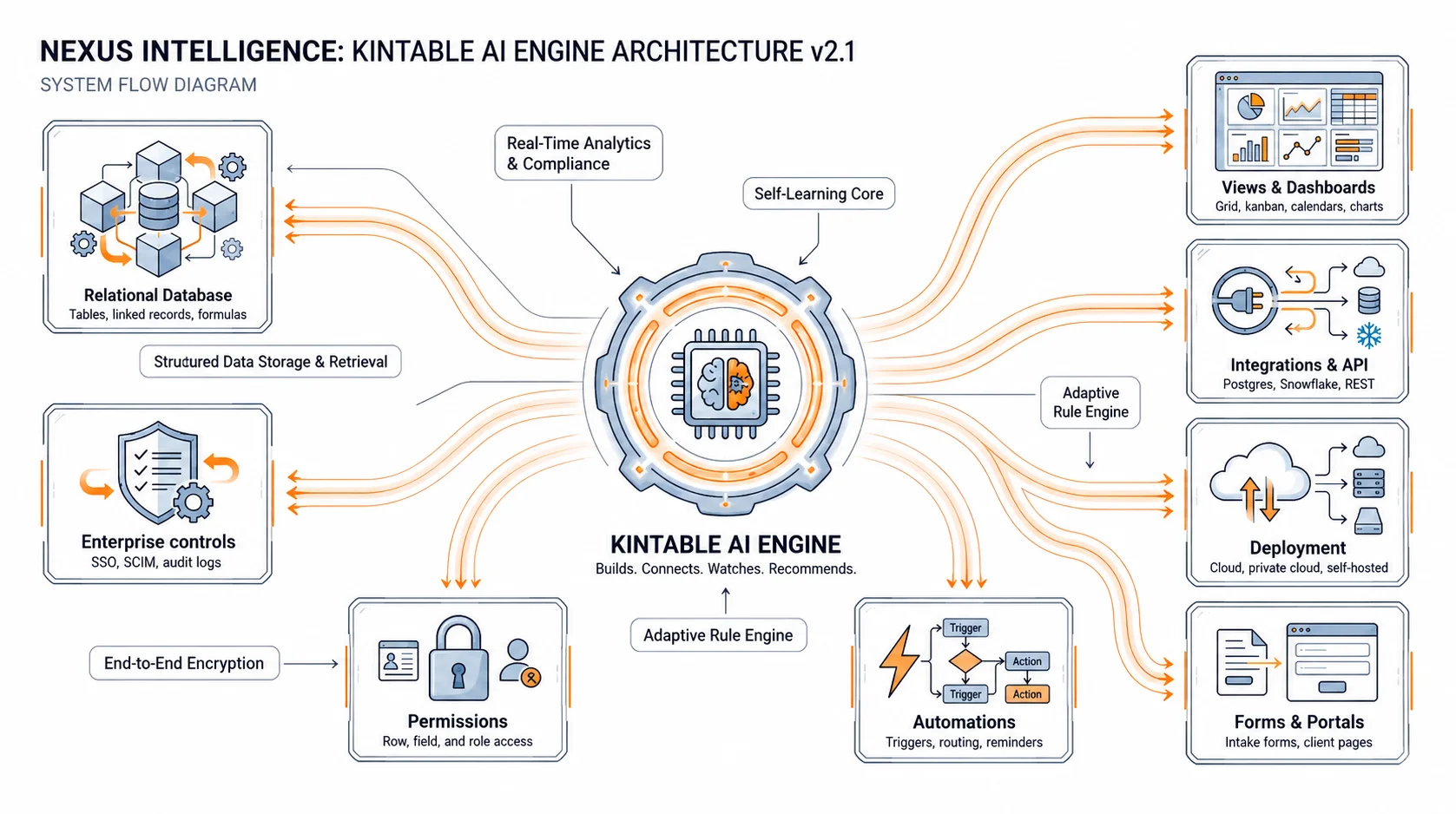
Each layer works from the same governed record rather than maintaining its own copy of the process.
Structure the requests, owners, statuses, relationships, files, and evidence the operation needs.
Route approvals, assignments, notifications, reminders, and SLA escalations from current record state.
Give internal teams and external participants the correct forms and views without exposing private data.
Preserve actors, timestamps, evidence, approvals, exceptions, and workflow execution events.
Define the process, participants, inputs, decisions, deadlines, and required outcome.
Create the relational model, forms, views, routing rules, notifications, and portal blueprint.
Validate fields, permissions, conditions, escalation paths, and action boundaries with stakeholders.
Publish the approved workflow with ownership, monitoring, and audit history in place.
Kintable generates the connected records, statuses, forms, role-specific views, conditional routes, notifications, external portal, and audit history needed to run the workflow.
Yes. Kintable can connect approved operational applications, databases, APIs, and webhooks around the governed workflow. Connection availability depends on the source and implementation requirements.
No. Operations teams describe the process in plain English and review the generated structure and rules. Technical teams can extend approved workflows through APIs, webhooks, and custom logic when required.
Kintable keeps consequential actions behind explicit permissions and approval rules. Teams can review the evidence, proposed action, owner, and execution history before external changes proceed.
Describe the process and review the generated workflow before anything goes live.