
Linked commerce records
Use typed fields, relations, lookups, formulas, rollups, attachments, select fields, dates, owners, statuses, and stable source identities.
Replace disconnected store exports, support queues, inventory trackers, fulfillment reports, and finance handoffs with one governed operating model built on linked records, role-specific interfaces, workflow logic, and an auditable action layer.
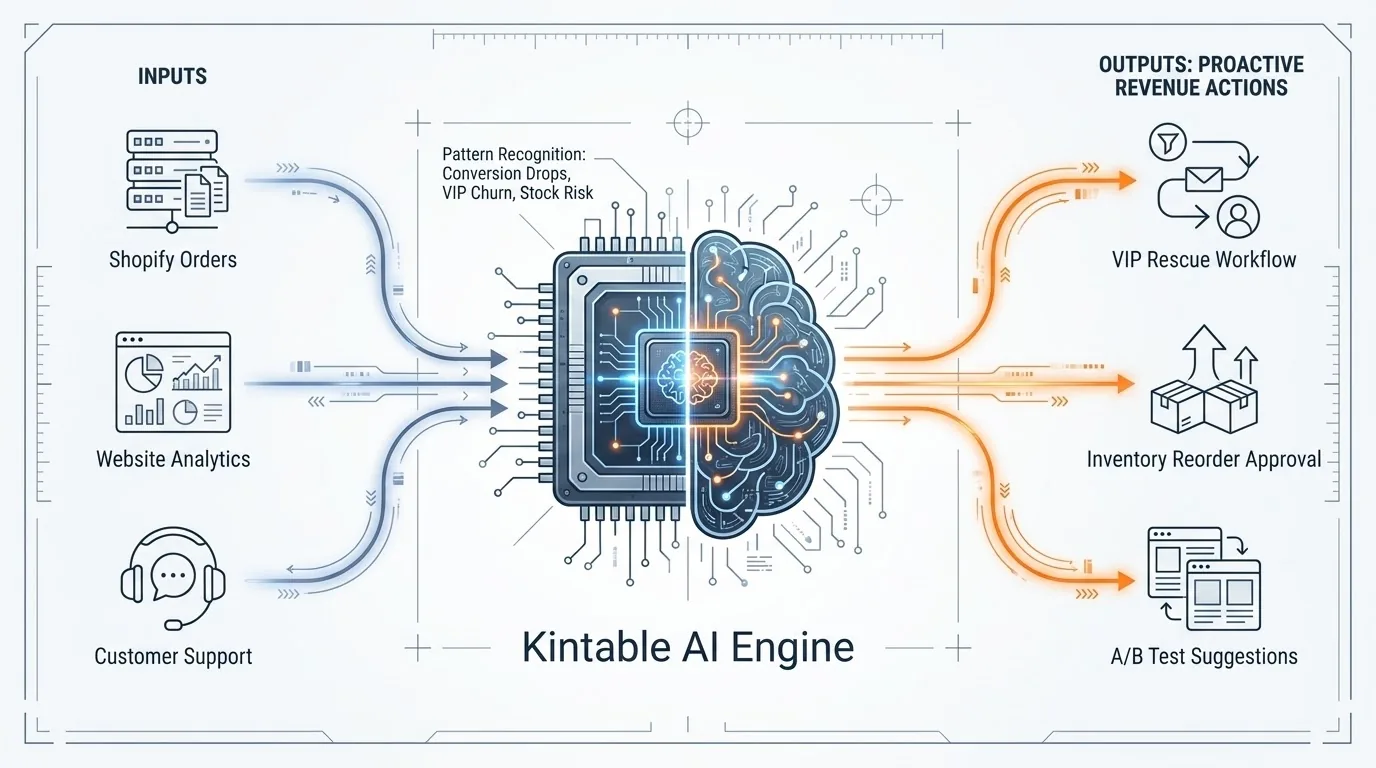
Keep orders, customers, products, inventory, fulfillment, refunds, returns, support, campaigns, subscriptions, invoices, and payouts connected while giving each team the interface it needs.
Use typed fields, relations, lookups, formulas, rollups, attachments, select fields, dates, owners, statuses, and stable source identities.
Work in grid, Kanban, calendar, gallery, form, dashboard, and shared views for operations, support, finance, marketing, and leadership.
Collect internal exceptions, return reviews, inventory actions, campaign requests, or supplier follow-up through structured forms.
Route exceptions, create tasks, update stages, assign owners, schedule reminders, and notify users through defined workflow rules.
Use workspace roles, row-scoped controls, field-aware interfaces, snapshots, and decision history to make access and changes reviewable.
Bring in structured files, work through REST APIs, and connect supported sources with sync runs, provenance, stable IDs, and freshness visible.
Kintable’s ecommerce work is designed around a closed loop that stays grounded in current commerce records.
Ingest provider objects with stable external IDs, source provenance, sync state, errors, retry status, and freshness.
Calculate refund changes, aging fulfillment, inventory risk, customer changes, and payout exceptions from current records.
Show the evidence, owner, risk lane, and expected effect before customer-facing, financial, or external work proceeds.
Execute only typed, approved actions with idempotency and preserve the decision, result, and source lineage.
“Create an ecommerce operations system with Orders, Customers, Products, Inventory, Fulfillment, Refunds, Support, and Payouts. Flag aging fulfillment and unusual refund activity, show the supporting records, assign an owner, and require approval before customer messages or financial changes.”
Working foundation: relational records, field types, views, forms, dashboards, automations, roles, public views, imports, APIs, audit history, and governed suggestion infrastructure.
Active ecommerce work: production authentication, continuous ingestion, webhook verification, idempotent upserts, canonical commerce mapping, measured signals, and approved external write-back.
A connector catalog entry is not presented as a working synchronization. Recommendations and metrics must come from current records, and actions must use typed, reviewable operations.
Signals include record references and data freshness.
Customer messages, financial changes, access changes, and destructive writes require approval.
Actions are typed, whitelisted, auditable, and designed for replay safety.
An enterprise operating system for ecommerce connects commerce records, team-specific interfaces, workflows, permissions, approvals, data freshness, and decision history across orders, inventory, fulfillment, service, finance, and growth operations.
Kintable can organize orders, customers, products, inventory, fulfillment, refunds, returns, support cases, campaigns, subscriptions, invoices, and payouts as linked operational records.
Teams can create grid, Kanban, calendar, gallery, form, dashboard, and shared views for operations, support, finance, marketing, and leadership without duplicating the underlying commerce data.
The initial signal set includes refund changes, aging fulfillment, inventory risk, repeat-customer changes, support exceptions, and order-to-payout exceptions, calculated from synchronized records with freshness visible.
Customer-facing, financial, access-related, destructive, and other external actions require explicit human approval and an auditable typed action. Kintable does not permit arbitrary AI execution.
The relational data engine, views, forms, dashboards, automations, roles, public views, APIs, and audit foundations exist. Production-grade continuous commerce ingestion, webhook handling, canonical mapping, measured signals, and external write-back are active product work.
Start with one goal, the minimum required records, a defined approval policy, and a measurable operating loop.
Request a Demo