
The short answer
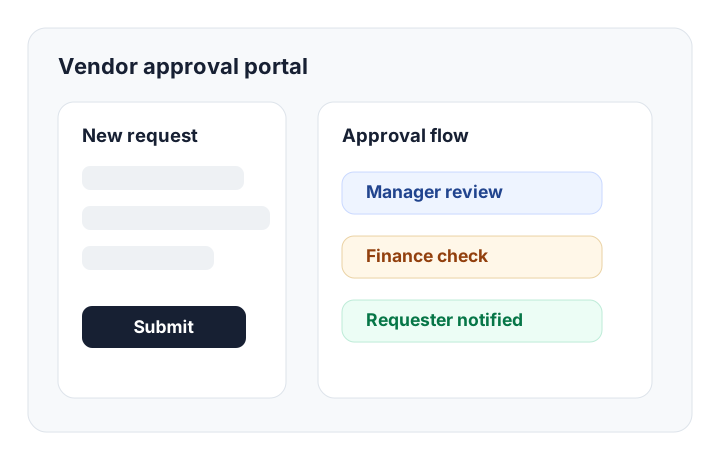
A vendor approval workflow should connect supplier intake, spend-threshold routing, finance and legal sign-off, and a vendor-facing status portal — all with an exportable audit trail your compliance team can review at any time.
Most vendor approval processes start simply: an employee needs a new supplier, someone asks finance, legal gets pulled in, and procurement tracks the request in a spreadsheet. That works until vendor volume grows, spend thresholds change, or an audit requires proof of who approved what.
The failure point is rarely the people. It is the system. Vendor data lives in one spreadsheet, documents sit in folders, approvals happen in email, risk notes live in chat tools, and finance only sees the request after the decision is already made.
A strong vendor approval workflow brings the full process into one governed system: request intake, routing rules, risk checks, document collection, final approval, and reporting.
The workflow procurement teams should design first
Before picking software, map the vendor journey. A complete vendor approval process usually has six stages:
- Employee request: a business owner explains why the vendor is needed, estimated annual spend, category, urgency, and budget owner.
- Procurement review: procurement checks duplicate vendors, preferred suppliers, pricing context, and contract requirements.
- Finance approval: finance validates budget, spend threshold, payment terms, and invoice process.
- Legal or security review: higher-risk vendors move through contract, data, privacy, or security checks.
- Supplier onboarding: the vendor uploads tax forms, banking details, insurance certificates, and required documents in a secure portal.
- Activation and monitoring: the approved vendor is added to finance systems, assigned an owner, and reviewed on schedule.
If those stages are split across form tools, spreadsheet-based tools, email, folders, and accounting software, nobody has a reliable view of status. The goal is not just automation. The goal is one source of truth.
What a vendor approval system needs
| Capability | Why it matters | Common search intent |
|---|---|---|
| Vendor intake form | Captures clean request data before procurement starts work | vendor intake form, supplier request form |
| Conditional routing | Sends low, medium, and high-spend requests to the right approvers | procurement approval workflow, vendor approval routing |
| Vendor database | Links vendors, contracts, requests, owners, documents, and renewals | vendor management workflow, supplier database |
| Supplier portal | Lets vendors securely submit documents without back-and-forth email | vendor portal, supplier onboarding portal |
| Audit trail | Shows who approved, rejected, escalated, or changed each record | vendor approval software audit trail |
A practical vendor approval prompt
A practical way to build a vendor approval workflow in Kintable is to describe the business rule, not the software components.
"Build a vendor approval workflow. Employees submit a vendor request with vendor name, category, estimated annual spend, business justification, data access level, and contract needed. Route requests under $5,000 to the department manager, $5,000 to $25,000 to manager plus finance, and over $25,000 to manager, finance, and legal. If the vendor handles customer data, add a security review. After approval, send the vendor a secure portal link to upload W-9, banking details, insurance certificate, and signed contract."
That prompt should produce a relational vendor database, approval request table, approver roles, stage logic, internal dashboards, notifications, and a secure external portal. For a prompt-ready blueprint, see the vendor approval workflow use case. In AI workflows, the same record can trigger updates to chat tools, email tools, accounting tools, CRM tools, and other tools.
Where spreadsheet-based vendor approval breaks
Spreadsheet workflows fail in predictable ways. Requests get duplicated. Someone changes a status without context. A vendor starts work before banking or contract documents are complete. Finance cannot always tell which vendor approvals are pending legal review. The audit trail is often just a comments column.
A governed workflow avoids those problems with permissions and state. Requesters see their own submissions. Procurement sees all vendor records. Finance can approve or reject but not quietly change risk notes. Legal sees only the requests that require legal review. Vendors only see the portal fields they need to complete.
The KPI dashboard to build on day one
Do not wait to add reporting. Vendor approval is a workflow where bottlenecks become expensive. At minimum, track:
- Open vendor requests by stage
- Average approval cycle time
- Requests blocked by missing vendor documents
- Spend awaiting approval by department
- Vendors pending security or legal review
- Upcoming renewals and review dates
Those reports help procurement shift from chasing status to managing risk and throughput.
Vendor approval workflow checklist
Use this as the minimum checklist for a serious vendor approval system:
- One intake form for all new vendor requests
- Required fields for spend, department, owner, category, data access, and urgency
- Routing rules by spend threshold, risk, and department
- Approver comments and rejection reasons
- Vendor document collection through a secure portal
- Role-based permissions for requesters, approvers, procurement, finance, legal, and vendors
- Immutable audit history for status changes and approvals
- Dashboards for cycle time, blocked requests, and open approvals
Build this system from one prompt
Key takeaways
- A complete vendor approval workflow covers six sequential stages: employee request, procurement review, finance approval, legal or security review, supplier document collection, and vendor activation with ERP sync.
- Spend-threshold routing — routing requests under $5,000 to a department manager and requests over $25,000 to manager, finance, and legal — prevents bottlenecks while maintaining governance for high-value vendor relationships.
- The supplier portal is what transforms a vendor approval process from email-based to governed: vendors submit documents through a branded, record-isolated interface without accessing internal records.
- Every vendor approval decision should be logged with actor, timestamp, and reason so procurement can produce a complete audit trail for compliance review or vendor rejection communication.
- Day-one KPI dashboards — tracking open requests by stage, average cycle time, blocked documents, and spend awaiting approval — shift procurement from chasing status to managing risk and throughput.
Frequently asked questions
What is a vendor approval workflow?
A vendor approval workflow is the process a company uses to request, review, approve, onboard, and monitor suppliers. A complete workflow includes vendor intake, spend thresholds, risk checks, finance approval, legal review, document collection, and an audit trail. Each stage moves the vendor record forward through a governed sequence until the supplier is activated in finance systems.
What should vendor approval software include?
Vendor approval software should include intake forms, a vendor database, conditional routing, role-based permissions, document collection, status tracking, reminders, supplier portals, reporting, and audit logs. The most important capability is conditional routing — the ability to send different vendor requests to different approvers based on spend level, risk, or category without manual intervention.
How do spend thresholds work in a vendor approval workflow?
Spend thresholds define which approvers are required based on the estimated annual value of a vendor relationship. For example, requests under $5,000 may route to a department manager only, while requests over $25,000 require manager, finance, and legal sign-off. Conditional routing logic enforces these rules automatically — no manual coordination needed when a new request comes in.
What is a supplier portal and why does a vendor approval workflow need one?
A supplier portal is a branded, record-isolated external interface where approved vendors securely submit required documents such as W-9 forms, banking details, insurance certificates, and signed contracts. It can reduce back-and-forth email and give vendors visibility into what documents are still outstanding, without exposing internal procurement records or other vendor data.