
The short answer
Enterprise approval workflow software must clear IT review on SSO, SCIM provisioning, field-level permissions, audit logging, and data residency before it touches finance, HR, or procurement data. Here is what to check before you buy.
Operations teams often discover approval workflow software because they are tired of email chains and spreadsheets. For the business-team view of routing, thresholds, and audit trails, start with the approval workflow software guide. IT discovers the same software when the workflow starts handling spend approvals, employee data, vendor banking documents, or customer information.
That is the point where "easy to build" is not enough. Enterprise approval workflow software has to be easy for business teams and acceptable to IT, security, finance, and compliance.
The key buying question is simple: can this platform build without creating shadow IT?
The governance checklist
Before adopting approval workflow software, evaluate these controls:
| Control | What to require | Why it matters |
|---|---|---|
| SSO | SAML or OIDC login through your identity provider | Centralizes access and reduces unmanaged passwords |
| SCIM | Automated user provisioning and deprovisioning | Removes manual access cleanup when employees change roles |
| Granular permissions | Role, row, and field-level access controls | Approval workflows often contain sensitive data |
| Audit logs | Immutable history of approvals, edits, views, and automation runs | Compliance teams need evidence, not screenshots |
| Implementation controls | Secure managed cloud by default, with enterprise implementation consultation where required | Some teams have strict security review and governance requirements |
| Integration governance | Approved connectors, API controls, and webhook visibility | Workflow tools should not create invisible data flows |
Why approval workflows expose weak controls
Approval workflows are deceptively sensitive. A purchase request may include budget data. A vendor onboarding workflow may include bank details and tax documents. An HR approval may include compensation, location, performance, or personal information. A customer onboarding workflow may include contracts and technical requirements.
If the workflow tool cannot restrict fields, log approvals, control external access, and show the automations that touched the record, the platform creates governance debt.
The problem with tool chains
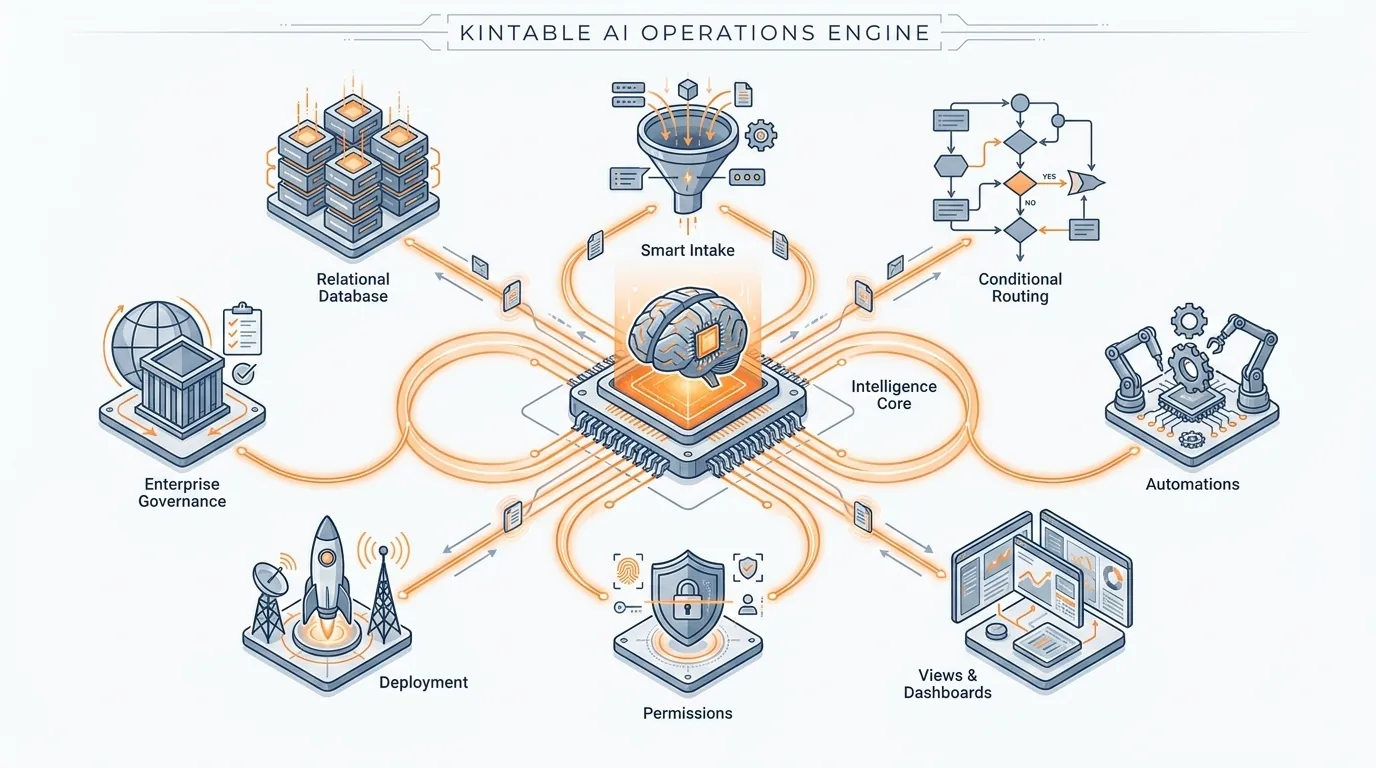
Many teams build approvals with a form builder, spreadsheet database, automation platform, dashboard tool, and portal tool. Each tool may have its own permissions and logs, but the workflow itself has no single control plane. Kintable gives those workflows one control plane for intake, routing, status, permissions, and audit history.
That makes audits hard. It is not enough to know that a row changed, an automation ran, and someone saw a dashboard in another tool. You need a complete record of who approved the request, which rule routed it, what data changed, and which external systems were updated.
This is why enterprise workflow governance should be evaluated at the system level, not the individual-tool level.
A practical enterprise approval prompt
"Build an enterprise purchase approval workflow. Employees submit requests with vendor, amount, department, budget owner, business justification, contract required, and data access level. Route requests under $10,000 to the manager, $10,000 to $50,000 to manager plus finance, and over $50,000 to manager, finance, and VP. If the vendor accesses customer data, add security review. Use SSO groups for approver roles, hide budget fields from requesters after submission, log every approval and automation run, and show IT a dashboard of integrations and access."
For a small team, this sounds like a lot. For a large company, it is table stakes. The difference with an AI-native platform like Kintable is that the governed system can be generated from the business rules instead of assembled across tools.
Questions IT should ask vendors
Use these questions during evaluation:
- Can we enforce SSO for every user?
- Can users be provisioned and removed automatically through SCIM?
- Can we restrict records by department, owner, customer, or workflow stage?
- Can we hide sensitive fields from users who should see status but not details?
- Can we export or inspect audit logs?
- Can admins see which integrations and automations are active?
- Can business teams change workflow rules without bypassing review?
- If we have strict security review or governance requirements, can we discuss custom implementation consultation?
When no-code is acceptable for enterprise workflows
No-code is not the problem. Ungoverned no-code is the problem. Business teams should be able to improve approval workflows without waiting months for engineering, but IT needs standards around access, auditability, data movement, and change control.
The right platform lets operations build while keeping IT in control of identity, permissions, data movement, and integration boundaries. That is the balance enterprise teams should look for.
Build this system from one prompt
Key takeaways
- Enterprise approval workflow software should support SSO, SCIM, field-level permissions, and audit logs before it is approved to handle finance, HR, or procurement data.
- Approval workflows are more sensitive than they appear — a single purchase request can contain budget data, vendor banking details, and access to customer systems, all in one record.
- Tool chains (form builder + spreadsheet + automation + portal) each carry separate permissions and logs, which means no single audit trail spans the full workflow lifecycle.
- SCIM provisioning is a critical requirement at enterprise scale: without it, departing employees and role changes require manual access cleanup that is error-prone and often delayed.
- AI-native platforms can generate a fully governed approval system — with routing rules, SSO group bindings, audit logging, and integration controls — from a plain-English description of the business policy.
Frequently asked questions
What makes approval workflow software enterprise-ready?
Enterprise-ready approval workflow software should support SSO, SCIM, granular permissions, audit logs, data retention controls, integration governance, secure cloud operations, custom implementation consultation when required, and clear ownership over workflow changes.
Why do approval workflows need audit logs?
Approval workflows need audit logs because finance, security, legal, and compliance teams must be able to prove who submitted, reviewed, approved, rejected, escalated, or changed each request. Screenshots and email threads are not sufficient evidence for audits or disputes.
What is the risk of using no-code workflow tools at enterprise scale?
The primary risk is ungoverned no-code, not no-code itself. Without SSO, SCIM, field-level permissions, and audit logs, no-code workflow tools create shadow IT — business teams building without IT visibility into who has access, what data is being processed, and which automations are running. The solution is a platform that provides governance as a built-in capability, not an afterthought.
Why is SCIM provisioning important for workflow software?
SCIM automates user provisioning and deprovisioning. When an employee changes roles or leaves, SCIM removes or adjusts their workflow access automatically, eliminating the manual cleanup that creates access control gaps. At enterprise scale, manual deprovisioning is too slow and too error-prone to be relied on.